What happens after the free trial ends?
When you sign up for Audienced, you receive a 14-day free trial with full access to the Grow plan. Below is an explanation of what happens when this trial period ends.
During the trial period
During the 14-day free trial:
- you have full access to the Grow plan,
- you can create products, content, and communities,
- you can invite or add users,
- no credit card is required.
When the trial ends
When the 14-day trial expires:
- if you do not add a payment method:
- access to the platform is locked,
- you can no longer access the admin or user area,
- your users (members) lose access to the platform.
- if you add a payment method and choose a plan:
- the subscription continues without interruption,
- access for you and your users remains active,
- all settings and content remain unchanged.
What happens to my data and content
If you do not activate a subscription after the trial ends:
- your account is not deleted,
- all content, products, and settings remain stored,
- but you cannot access them until the subscription is activated.
Once you activate a subscription, you can continue exactly where you left off.
Is the subscription activated automatically?
No.
Audienced does not activate subscriptions automatically.
A subscription starts only when:
- you select a plan,
- you choose a billing cycle (monthly or yearly),
- you add a valid payment method.
How to continue after the trial
To continue using Audienced:
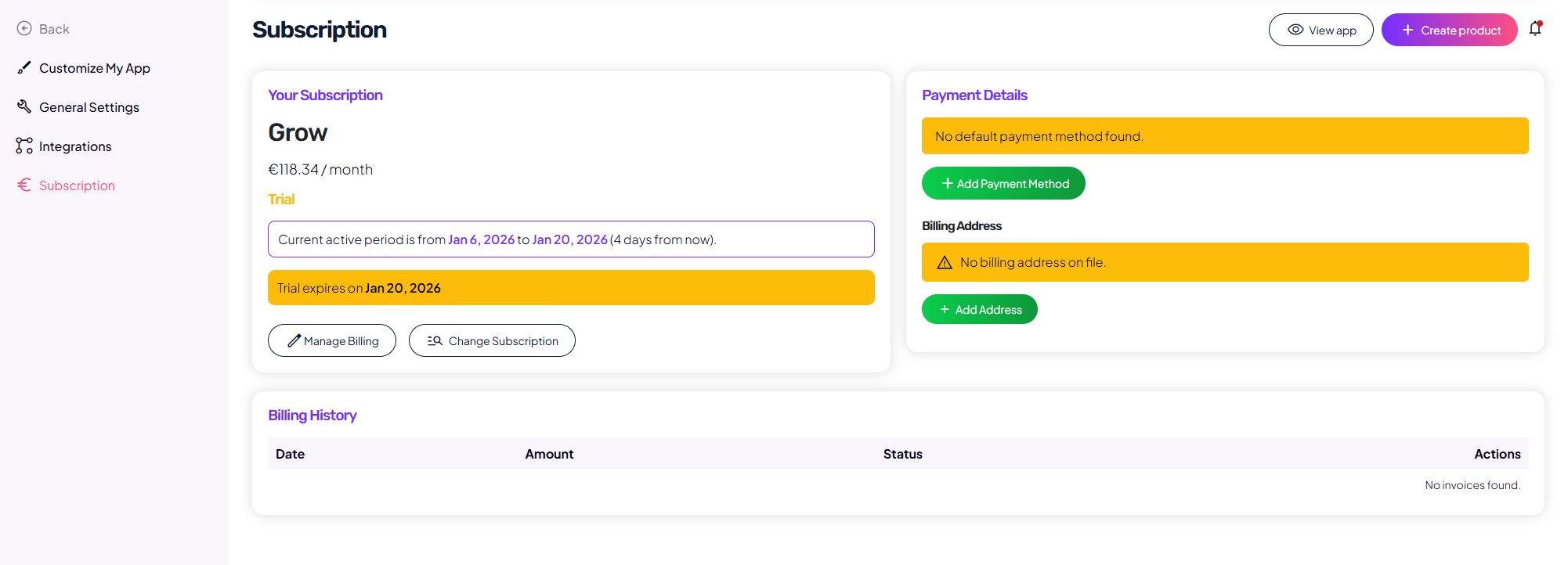
- go to the Subscription section,
- select a plan,
- add a payment method,
- enter billing details (if not already provided).
Summary
- the free trial lasts 14 days,
- after the trial ends without an active subscription, access is locked,
- users lose access to content,
- data and content are not deleted,
- the subscription must be activated manually.
This article explains what happens after the free trial ends in Audienced.
For more details, see the related articles about subscriptions and billing in the Help Center.