How to Cancel Your audienced Subscription
In Audienced, you can cancel your subscription yourself directly from the dashboard. Canceling a subscription means it will not renew automatically, while your account remains stored.
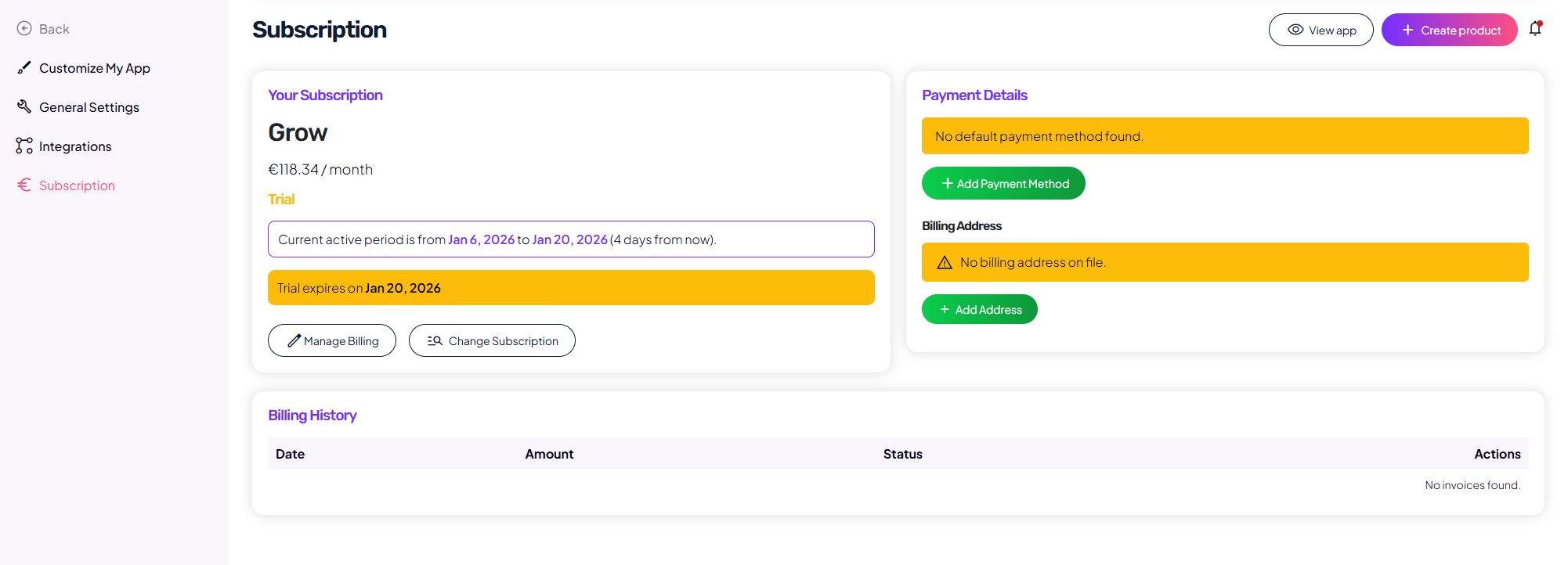
Where to cancel your subscription
In the admin dashboard, go to:
Subscription → Manage billing → Cancel subscription
You can confirm the cancellation with a single click.
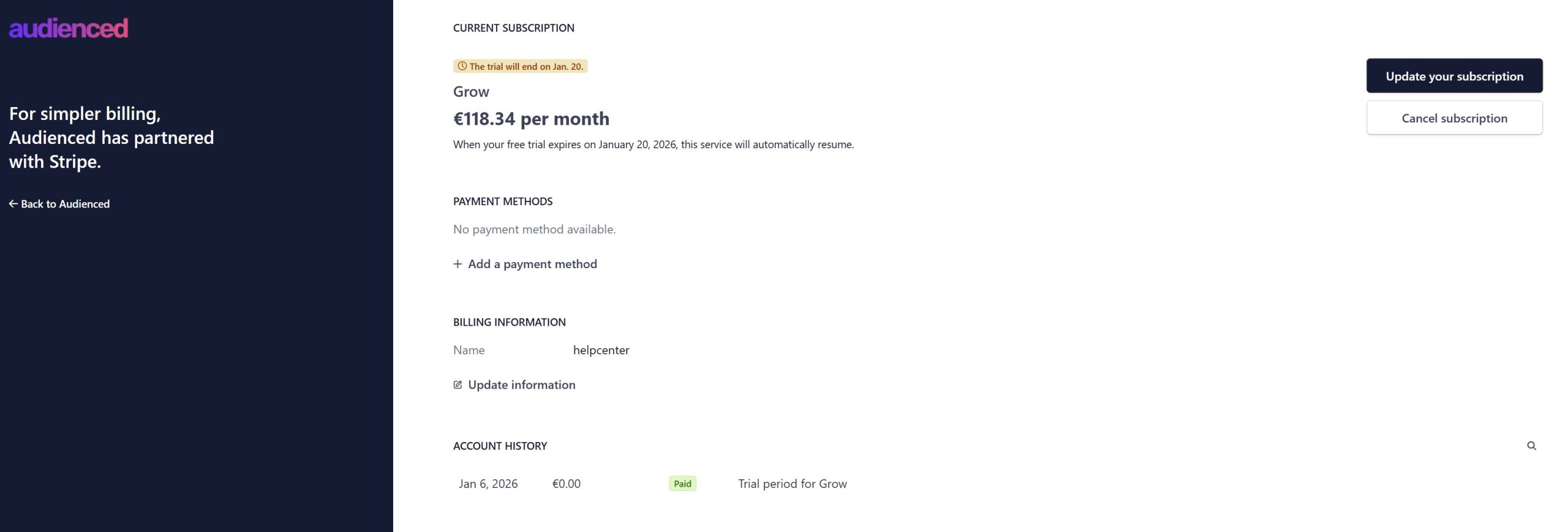
What happens after cancellation
After canceling your subscription:
- you retain access to the platform until the end of the already paid billing period,
- no refunds are issued for the current billing period,
- your account, content, and settings remain stored,
- access is locked once the billing period ends.
Canceling a subscription is not the same as deleting your account.
Impact on your users (members)
If you, as an admin:
- cancel your subscription, or
- do not renew it (for example, after a trial or due to a failed payment),
the following happens after the paid period ends:
- your users (members) lose access to:
- digital products,
- content,
- communities,
- the entire application.
- access is not restored until the subscription is reactivated.
This applies to all end users, regardless of whether they have purchased individual products or not.
Can I reactivate my subscription?
Yes.
If you reactivate your subscription:
- add or confirm a valid payment method,
- select a subscription plan,
then:
- access for you is restored,
- access for your users is automatically restored,
- all content and data remain unchanged.
Changing plans or billing period
Before canceling, or instead of canceling, you can:
- change your plan (Starter / Grow / Scale),
- change your billing period (monthly or yearly).
These options are available under Manage billing.
Permanent account deletion
If you want to permanently delete your account and all data, this cannot be done from the dashboard.
To request permanent deletion:
- email info@audienced.io,
- clearly state your request for permanent account deletion.
Summary
- subscriptions can be canceled from the dashboard,
- cancellation takes effect at the end of the current billing period,
- no refunds are issued,
- account and data remain stored,
- your users lose access after cancellation,
- access is restored upon reactivation,
- permanent deletion requires contacting support.