User Dashboard Overview (user view)
The user interface (user view) is the part of the Audienced platform that end users (members) see after logging in. This is where users access purchased products, content, the community, events, and their personal settings.
The user view is designed for consumption, not for managing the platform.
Main navigation (top)
User navigation is simplified and focused on content.
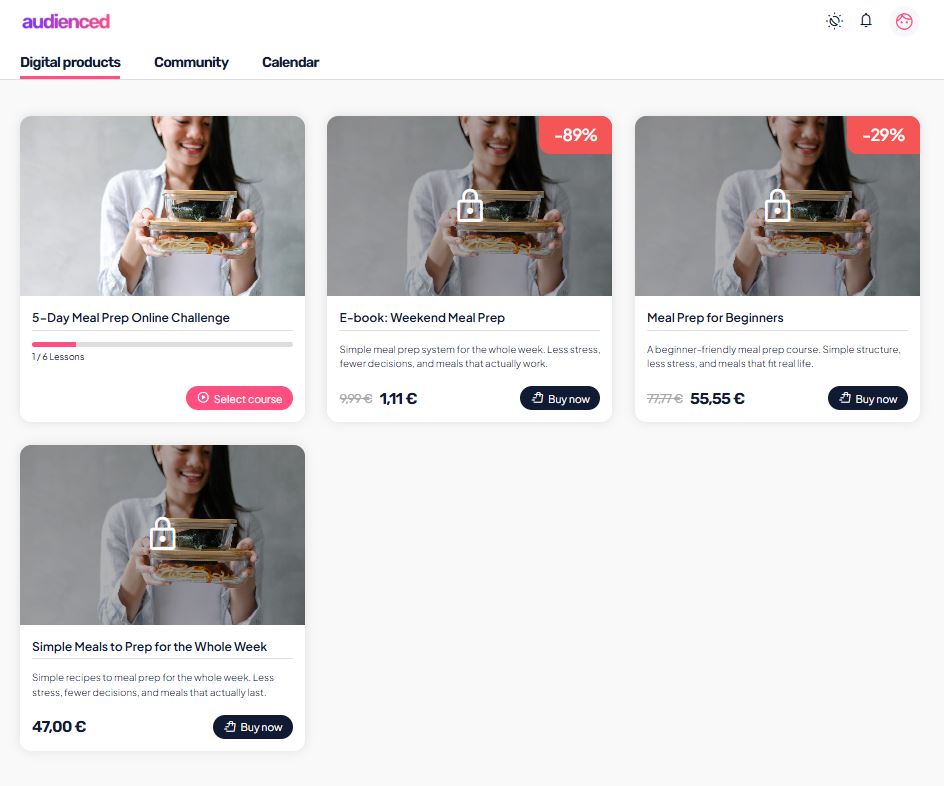
Digital products
- overview of purchased or assigned courses and products,
- option to browse and purchase other courses,
- card-style display with title and description,
- a button to open each product.
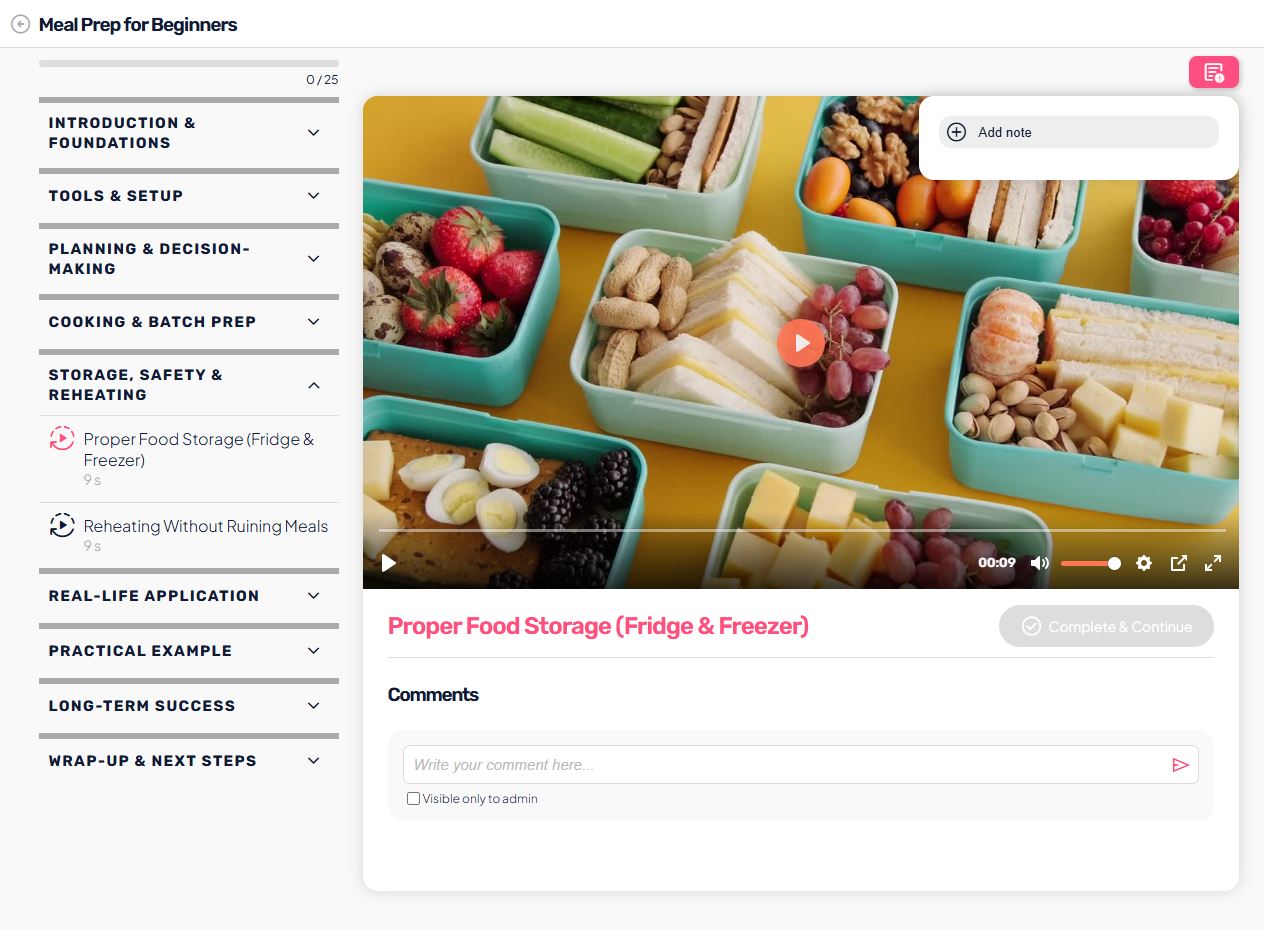
Lessons and content
Inside each product, users can see:
- the structure (modules, lessons),
- video and other content types,
- progress tracking,
- comments below lessons,
- the option to mark a lesson as completed.
Community
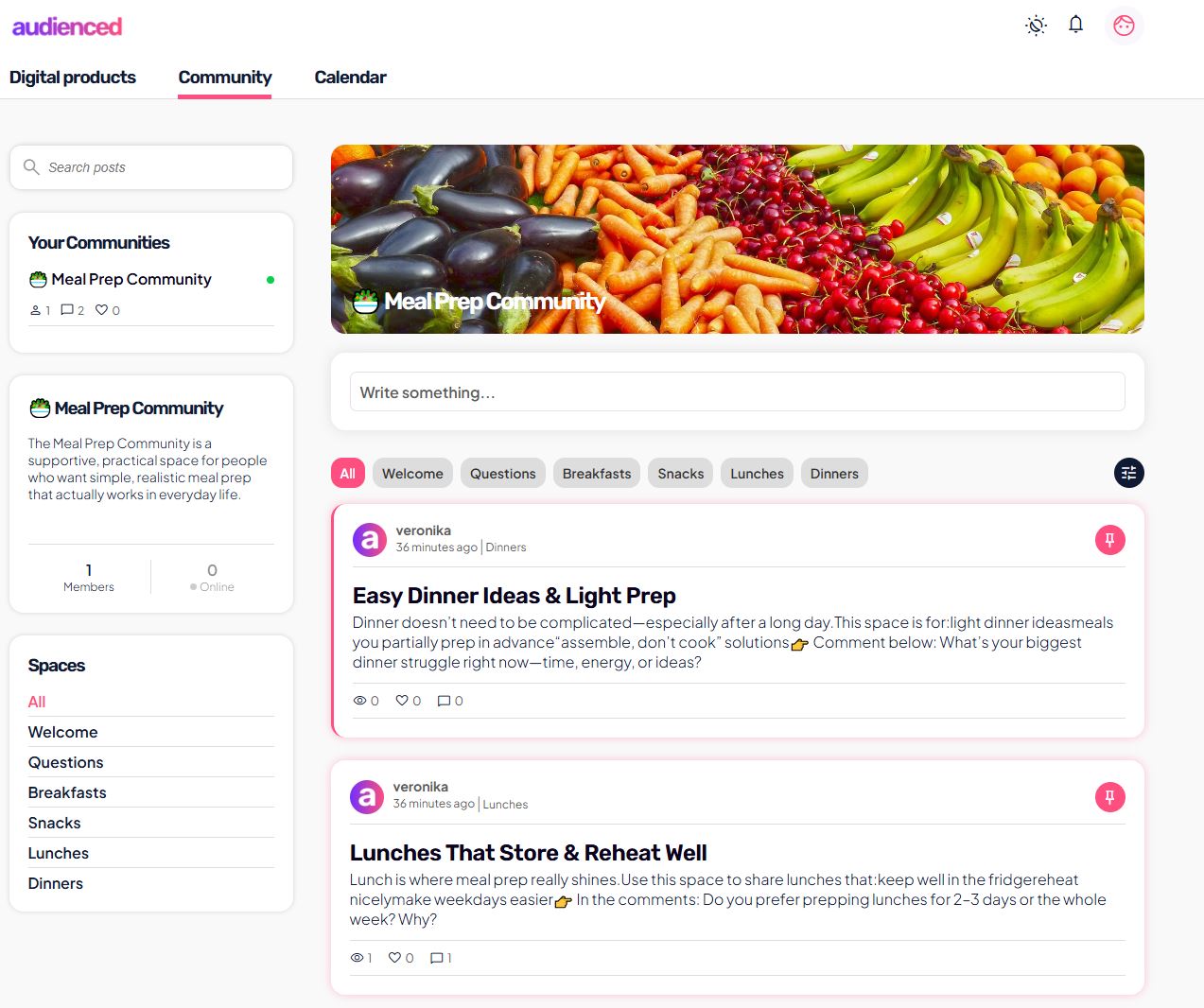
The community is the space for interaction between members.
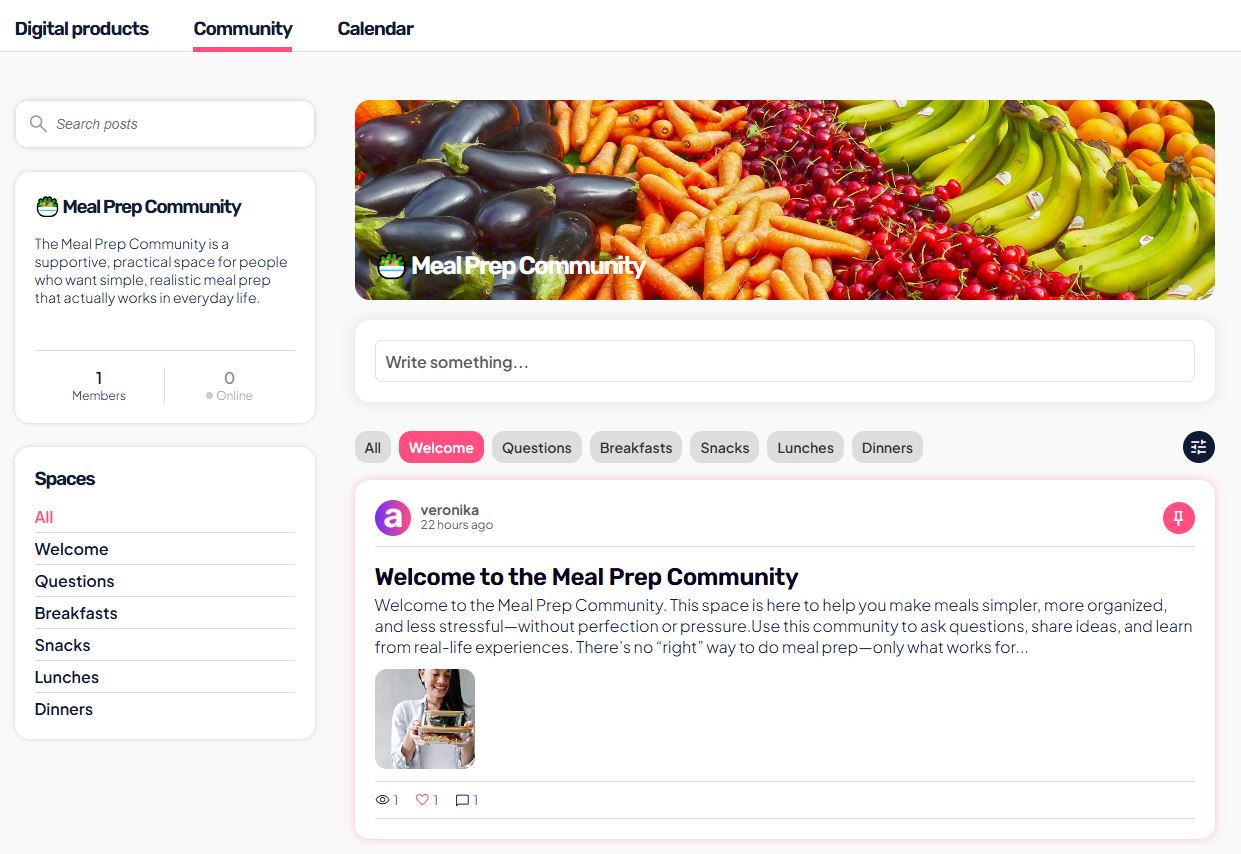
Users can:
- publish posts (text, images, video),
- comment on and like posts,
- use search,
- access specific spaces (e.g. onboarding, questions).
Calendar
The calendar shows:
- upcoming events,
- completed lessons on specific dates.
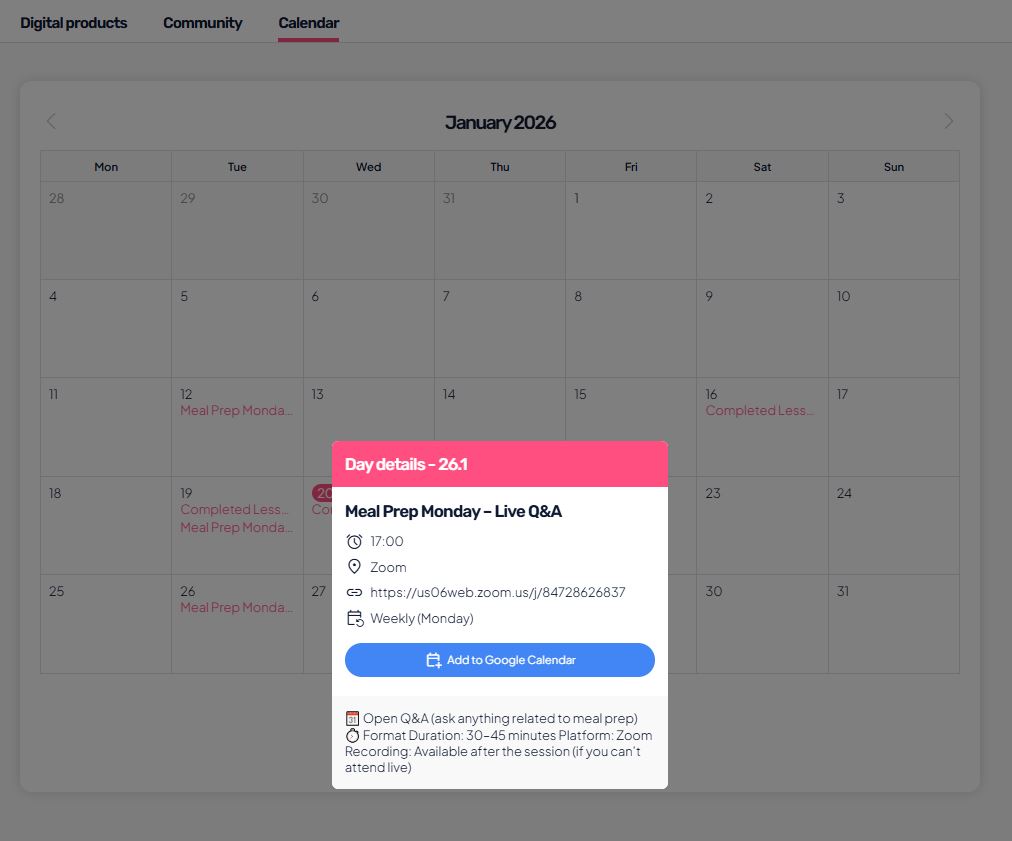
Users can:
- open event details,
- add the event to Google Calendar.
Profile and user settings
In the top-right corner, users can access their personal menu.
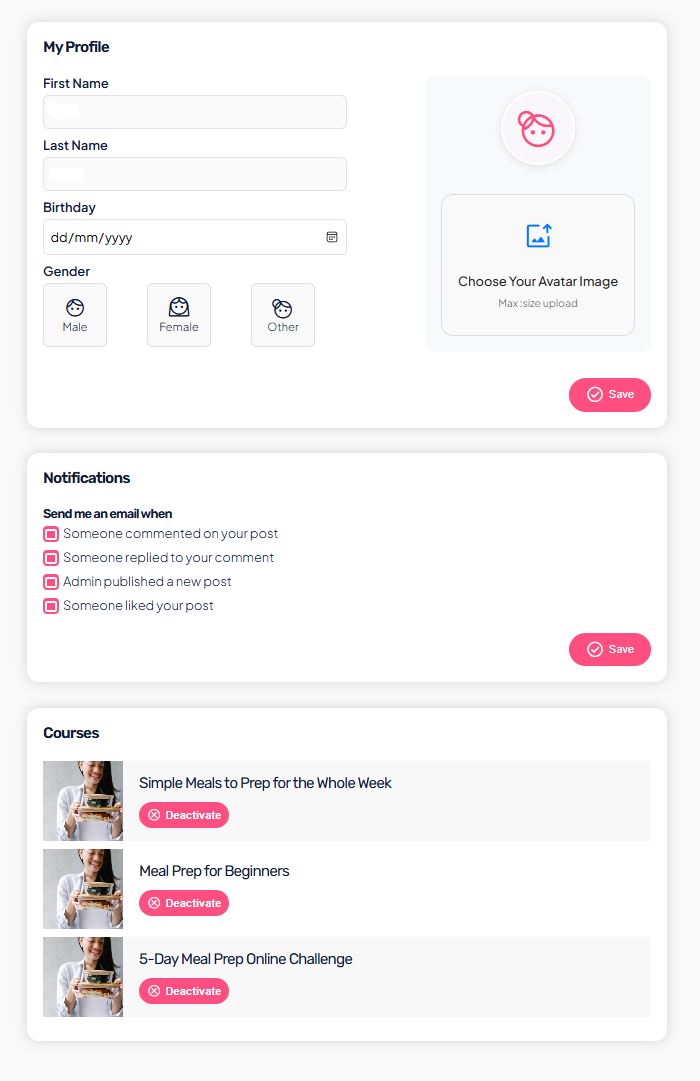
Profile
Users can:
- edit their first and last name,
- add or change their avatar,
- enter basic personal details,
- review active courses.
Settings
In the Settings section, users have access to:
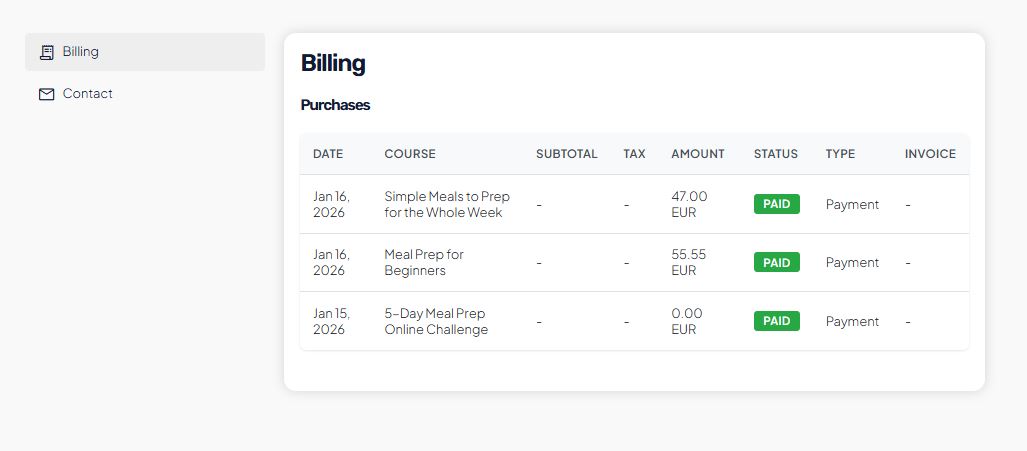
Payments
- overview of their purchases,
- payment status (in progress / paid),
- amount, VAT, and date displayed,
- invoice download.
FAQ, Terms and Privacy Policy
- access to frequently asked questions,
- terms of use,
- privacy policy.
Contact
- an option to contact the administrator.
Light / Dark mode
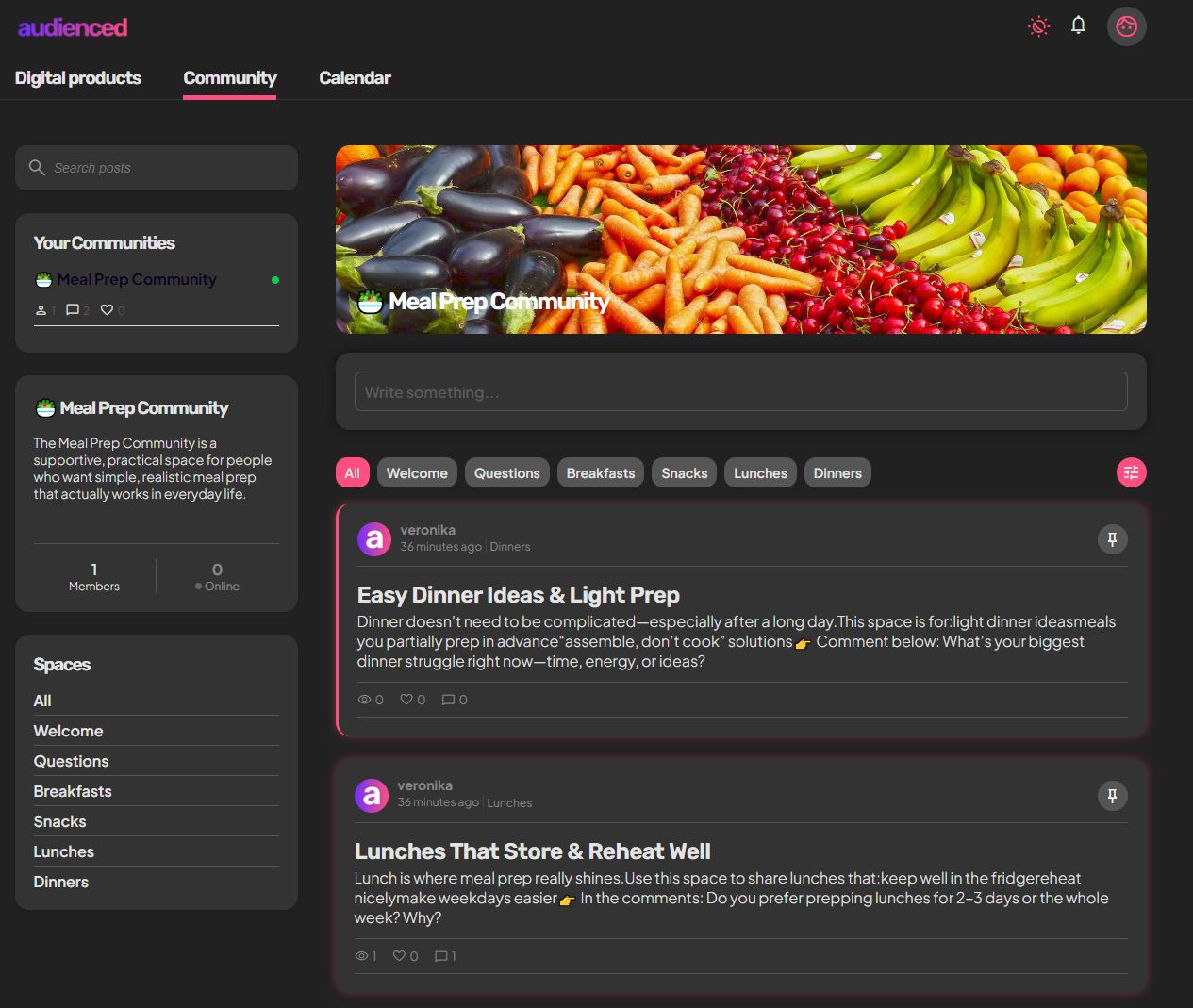
Light and Dark mode:
- are available in the user view,
- can be toggled by each user,
- are personal settings and do not affect other users.
What the user view is not
The user view:
- is not intended for managing the platform,
- does not include product or community settings,
- does not allow managing the admin’s subscription.
Platform management is done in the admin view.
Summary
- the user view is intended for end users,
- this is where they access content, the community, and events,
- users have their own settings (profile, payments),
- light/dark mode is a user choice,
- the interface is optimized for simplicity.
This article provides an overview of the Audienced user interface (user view).
To understand platform management, also see Admin dashboard overview (admin view).