Side Menu
Side menu overview
In the side menu, you can access all key parts of the platform.
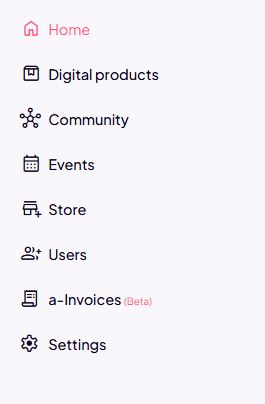
Home
- a quick overview of key stats,
- an overview of published products,
- shortcuts to creating products.
Digital products
- create new products,
- edit existing courses, challenges, or e-books,
- add modules, lessons, and content,
- manage access and structure,
- view product statistics.
Community
- create and edit communities,
- add spaces (e.g., onboarding, questions),
- manage posts,
- connect a community to products.
Events
- create live or online events,
- set the date, time, and link,
- enable adding events to Google Calendar,
- connect events to a product or a community.
Website
- edit public pages (website, link-in-bio),
- customize content and display,
- connect products to sales pages,
- connect a WordPress website to the platform.
Users
- view all users,
- assign access to products,
- monitor user activity.
e-Invoices (Beta)
- overview of issued invoices,
- automatic invoice generation,
- tax confirmation of invoices.
Settings
- general account settings,
- branding (logo, colors),
- terms of use and FAQ,
- emails, integrations, and technical settings.