Drip Course
A drip course in audienced is designed for content that unlocks gradually over time for users. It is suitable for programs where you want to control the learning pace, prevent skipping ahead, or schedule content by days, weeks, or specific dates (e.g. challenges, mentorships, guided programs).
In terms of structure and user experience, a drip course behaves similarly to an online course, but with additional time-based content locking logic.
After creating a drip course, three main sections appear in the side menu:
- Basic information
- Modules and lessons
- Analytics
Basic information
In the Basic information section, you set the core details of the drip course:
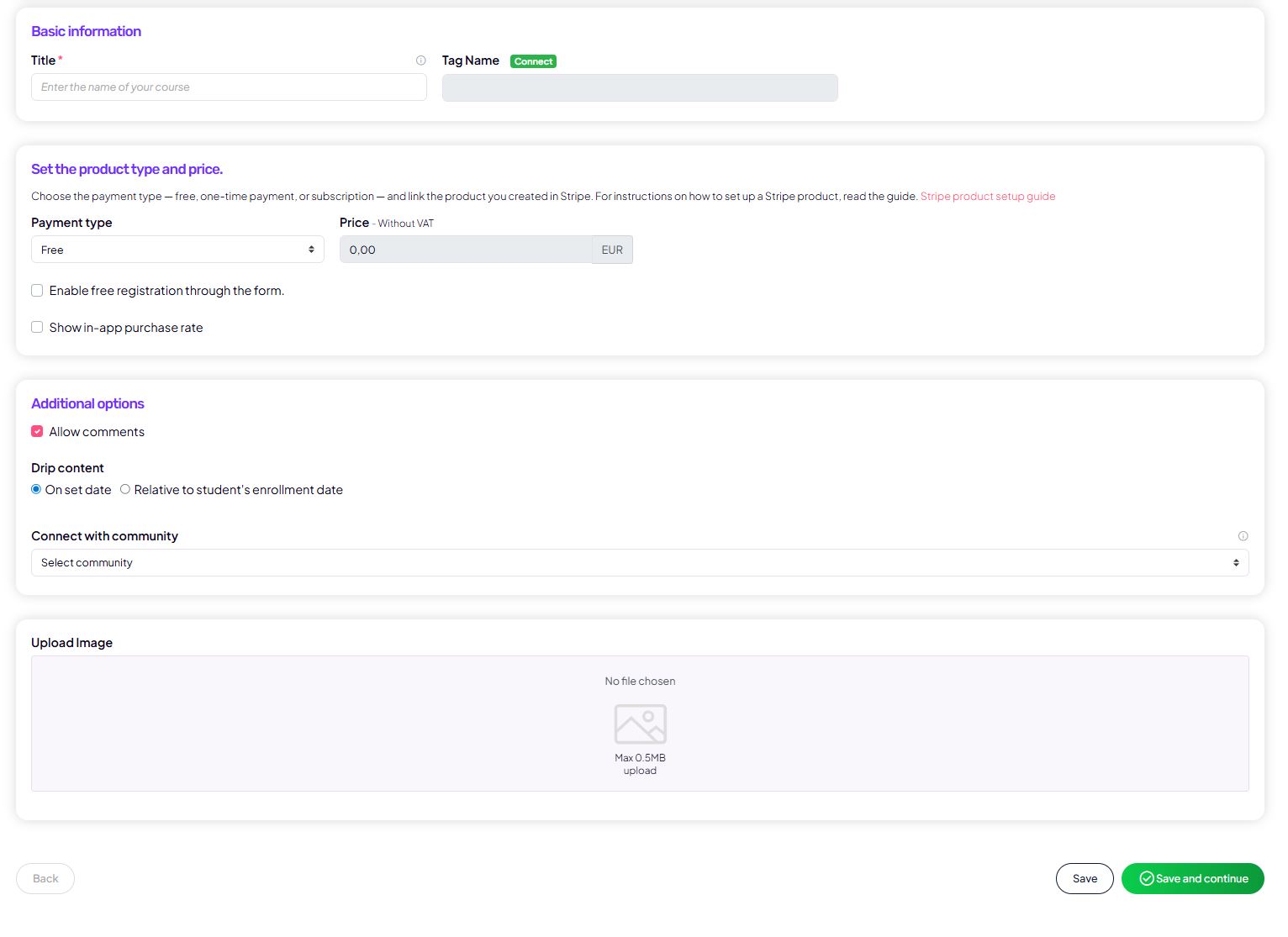
- the course title and a tag for segmentation in your connected email platform,
- payment type:
- free,
- one-time payment,
- subscription,
- price (prices are entered excluding VAT),
- the option to allow free sign-up via a form,
- course visibility in the app,
- enabled comments.
Publish content gradually (Drip)
The key difference in a drip course is the gradual content publishing setting. Two options are available:
- On a selected date
Lessons unlock at an exact date and time. This option is suitable for group programs, challenges, or launches with a defined start. - Relative to the user’s start time
Lessons unlock based on when each individual user joins the course (e.g. 3 days after enrollment).
This setting defines when and how users access individual lessons.

In this section, you also set:
- the course cover image.
Modules and lessons
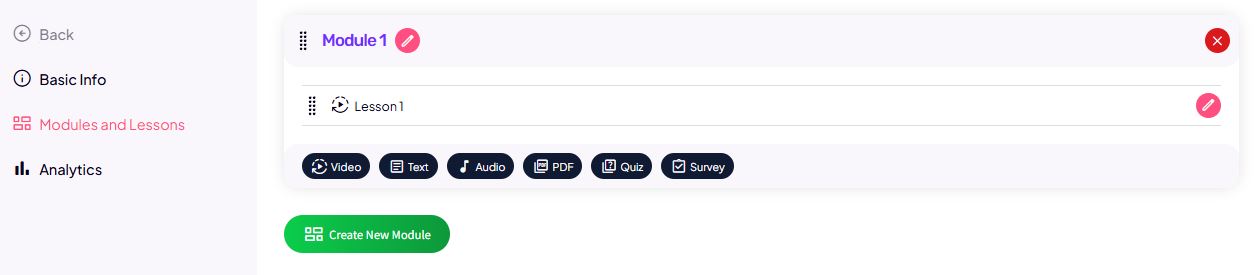
In the Modules and lessons section, you build the content of the drip course.
Modules
Modules represent content blocks (e.g. Week 1, Week 2, Conclusion).
They help users understand the program structure, even when part of the content is still locked.
Lessons
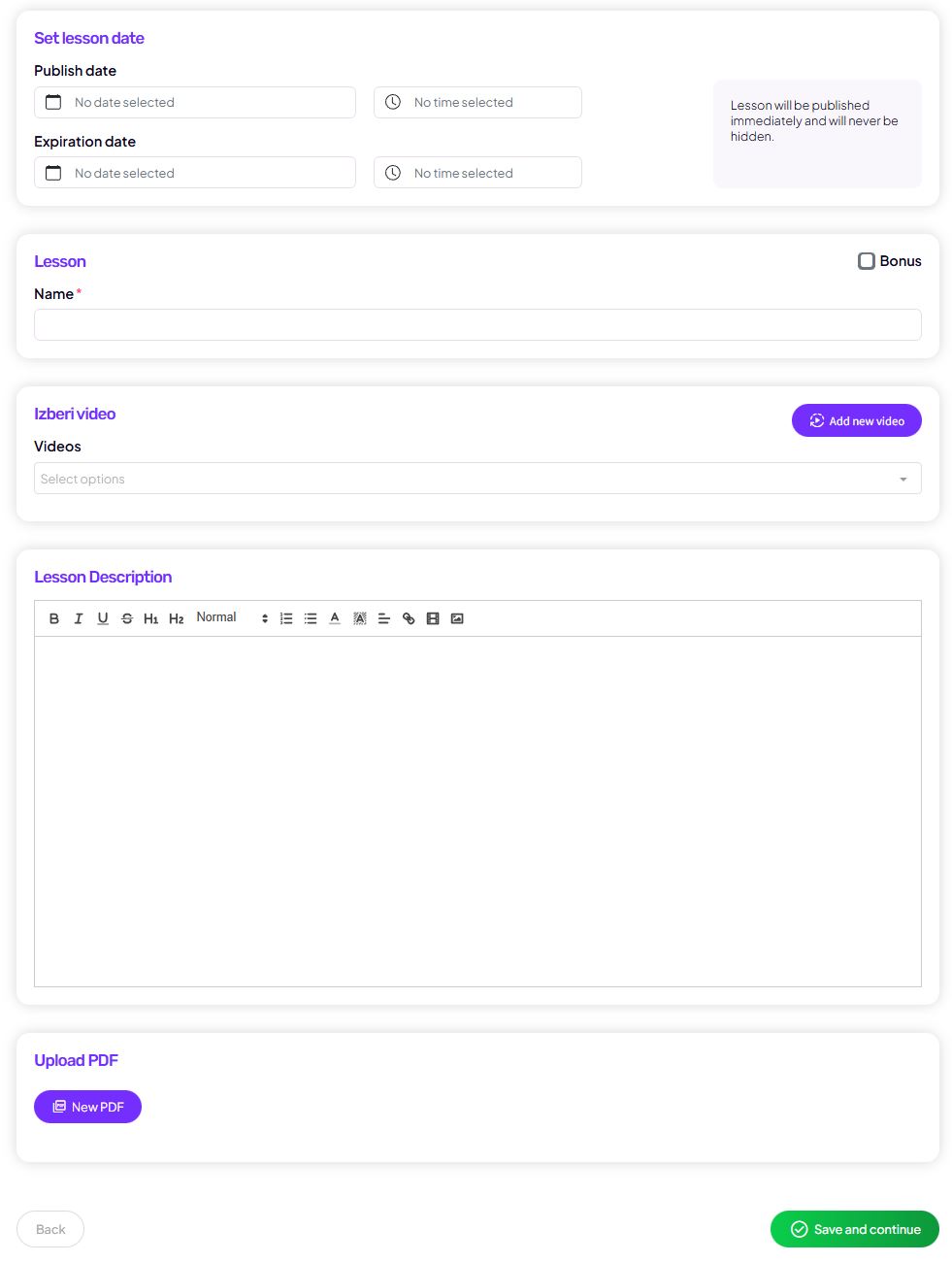
Each lesson in a drip course can include:
- lesson title,
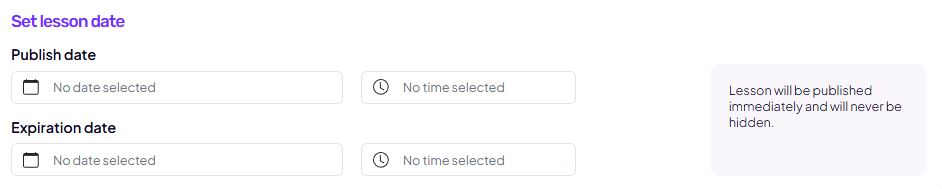
- publish date:
- an exact date and time,
- or a delay (e.g. X days after the user’s start),
- expiry date (optional – the lesson can lock again after a certain time),
- video content:
- via a link (e.g. Bunny, Vimeo, YouTube embed),
- or by uploading a video file,
- lesson description,
- PDF files,
- audio files,
- the option to mark a lesson as a bonus.
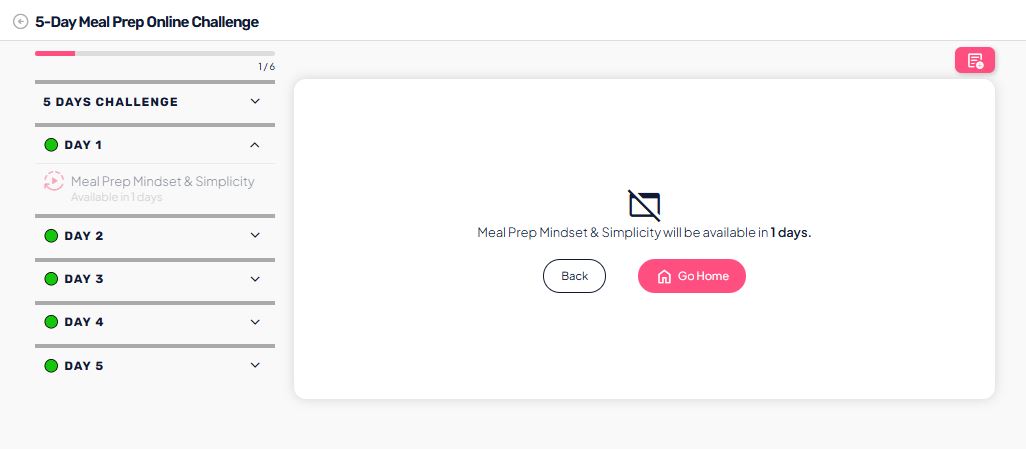
Lessons that have not yet unlocked are visible but not accessible to users, which clearly shows the program flow and the expected pace.

Analytics
The Analytics section is designed to track the performance of your drip course and user behavior.
Available insights include:
- quiz and survey results,
- lesson completion statistics,
- an overview of how many users:
- started the course,
- accessed individual lessons,
- dropped off at specific content points.
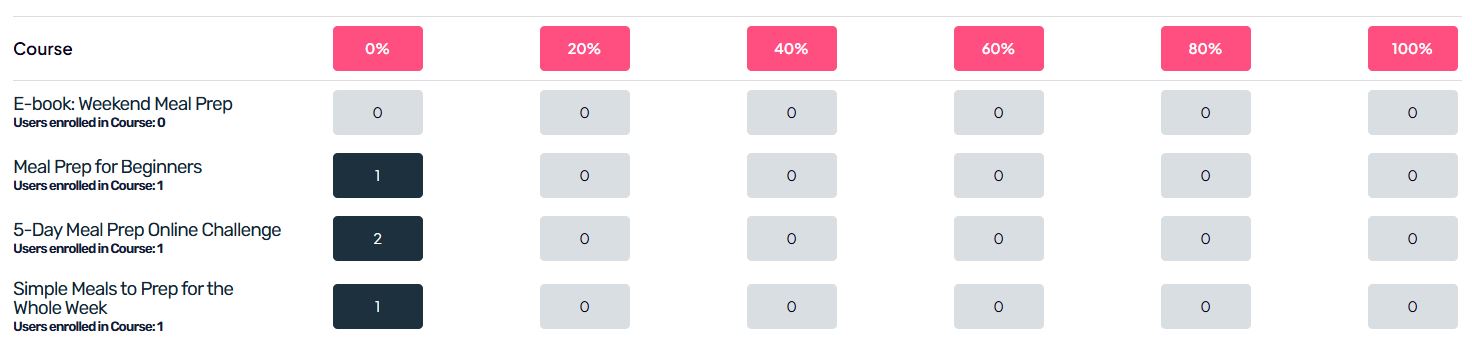
Analytics helps you understand whether the content release pace is appropriate and where users may need additional explanation or support.
How users see a drip course
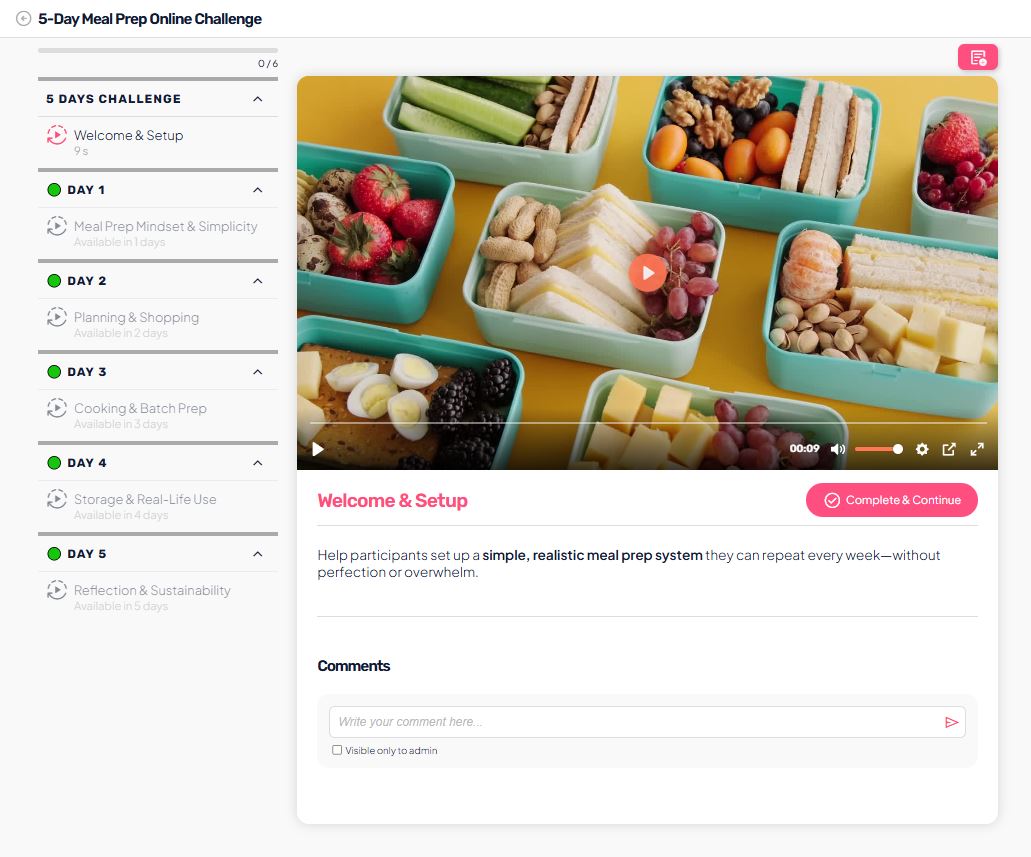
The user view of a drip course is very similar to an online course:
- users see the full structure of modules and lessons,
- they can normally open and complete unlocked lessons,
- locked lessons are clearly marked and inaccessible,
- access to content is limited according to the publish date settings.