Comments
Comments in audienced enable direct communication between you and your users within lessons. They are intended for questions, feedback, support, and building a relationship between you and participants of a course or challenge.
Comments are always linked to a specific lesson.
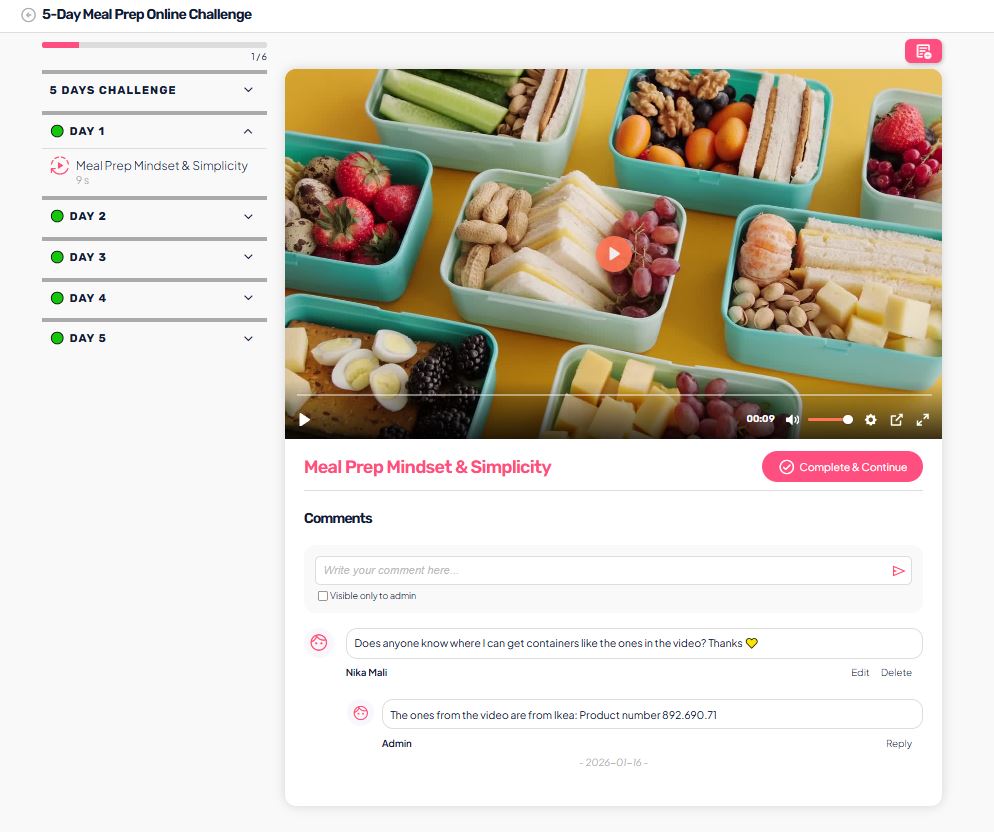
Where comments are used
Comments are available:
- in video lessons
- in text lessons
- in other lesson types where commenting is enabled
The user can comment directly below the lesson content, immediately after viewing it.
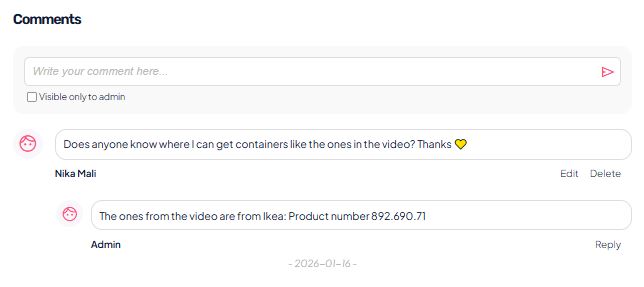
Commenting for users
The user can:
- write a comment below a lesson
- see comments from other users
- reply to existing comments
Private comment (visible only to admin)
When submitting a comment, the user can select the option “Visible to admin only”.
Such a comment is visible only to you (the admin) and is not visible to other users.
This is ideal for:
- personal questions
- technical issues
- private feedback
Managing comments (admin view)
As an admin, you have access to a centralized overview of comments.
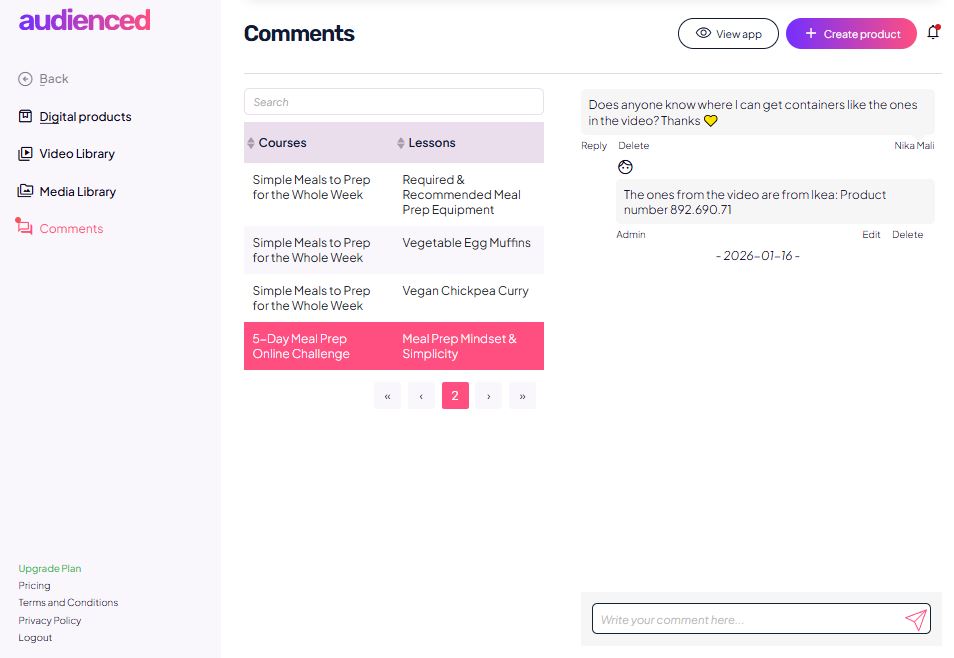
In the Comments menu, you can see:
- a list of all comments
- the related course
- the related lesson
- the user’s name and the publication date
From this overview, you can quickly access individual comments and reply to them.
Managing comments within a lesson
Within an individual lesson, as an admin you can:
- reply to a comment
- edit a comment
- delete a comment
This gives you full control over communication and comment content.
Why use comments
Comments help to:
- increase user engagement
- reduce support questions via email
- create a sense of community and support
- quickly identify unclear parts of lesson content
We recommend actively encouraging users to comment (e.g. by asking a question at the end of a lesson).