Challenge
A challenge in audienced is a time-limited program with a clearly defined start and end. It is designed to activate users, encourage daily participation, and provide a clear structure by days or steps. It is often used for 5-, 7-, 14-, or 30-day challenges, where users receive a new task or content every day.
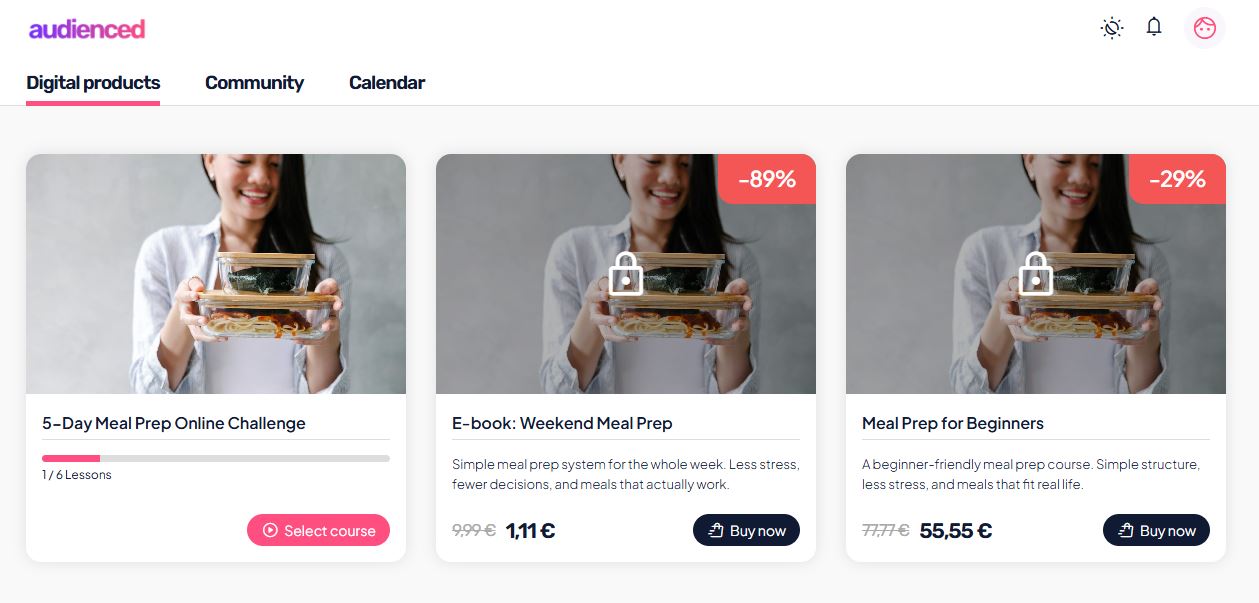
The key characteristic of a challenge is that:
- content unlocks on a specific date,
- and after the challenge ends, it can automatically lock.
A challenge encourages consistent participation, discipline, and high user engagement.
After creating a challenge, three main sections appear in the side menu:
- Basic information
- Content
- Analytics
Basic information
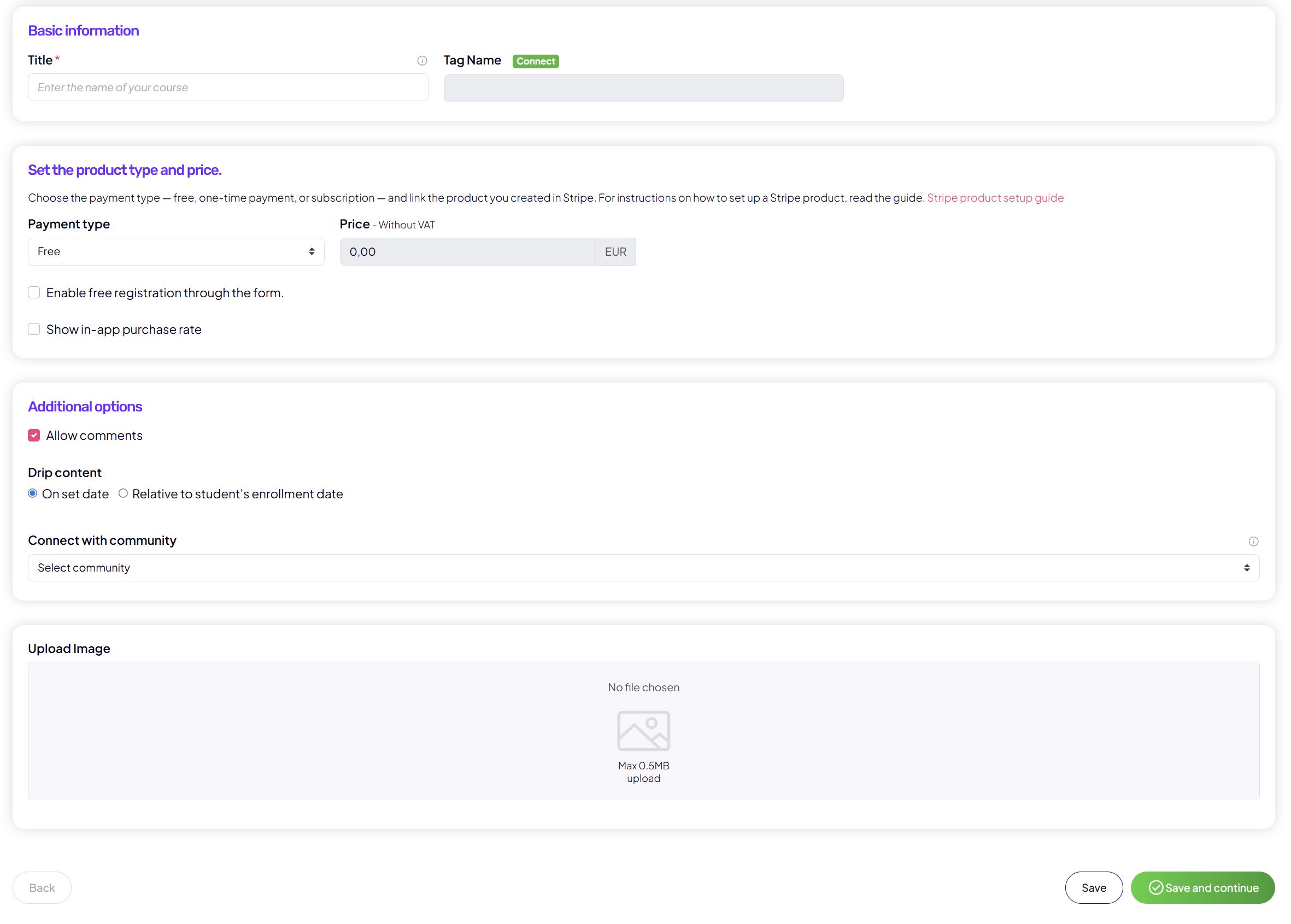
In the Basic information section, you set the basic details of the challenge:
- the challenge title and a tag for segmentation in your connected email platform,
- payment type:
- free,
- one-time payment,
- subscription,
- price (prices are entered excluding VAT),
- the option to allow free sign-up via a form,
- challenge visibility in the app,
- enabled comments.
Challenge time window
For a challenge, setting the time window is required:
- start date and time,
- end date and time.

This determines:
- when users get access to the content,
- when access automatically closes.
After the challenge expires, users can no longer open the content unless you reactivate the challenge or change the settings.
In this section, you also set:
- the challenge cover image.
Content
In the Content section, you add and edit the challenge content.
A challenge does not have classic modules – content is typically organized by days or sequential steps.
Challenge days / lessons
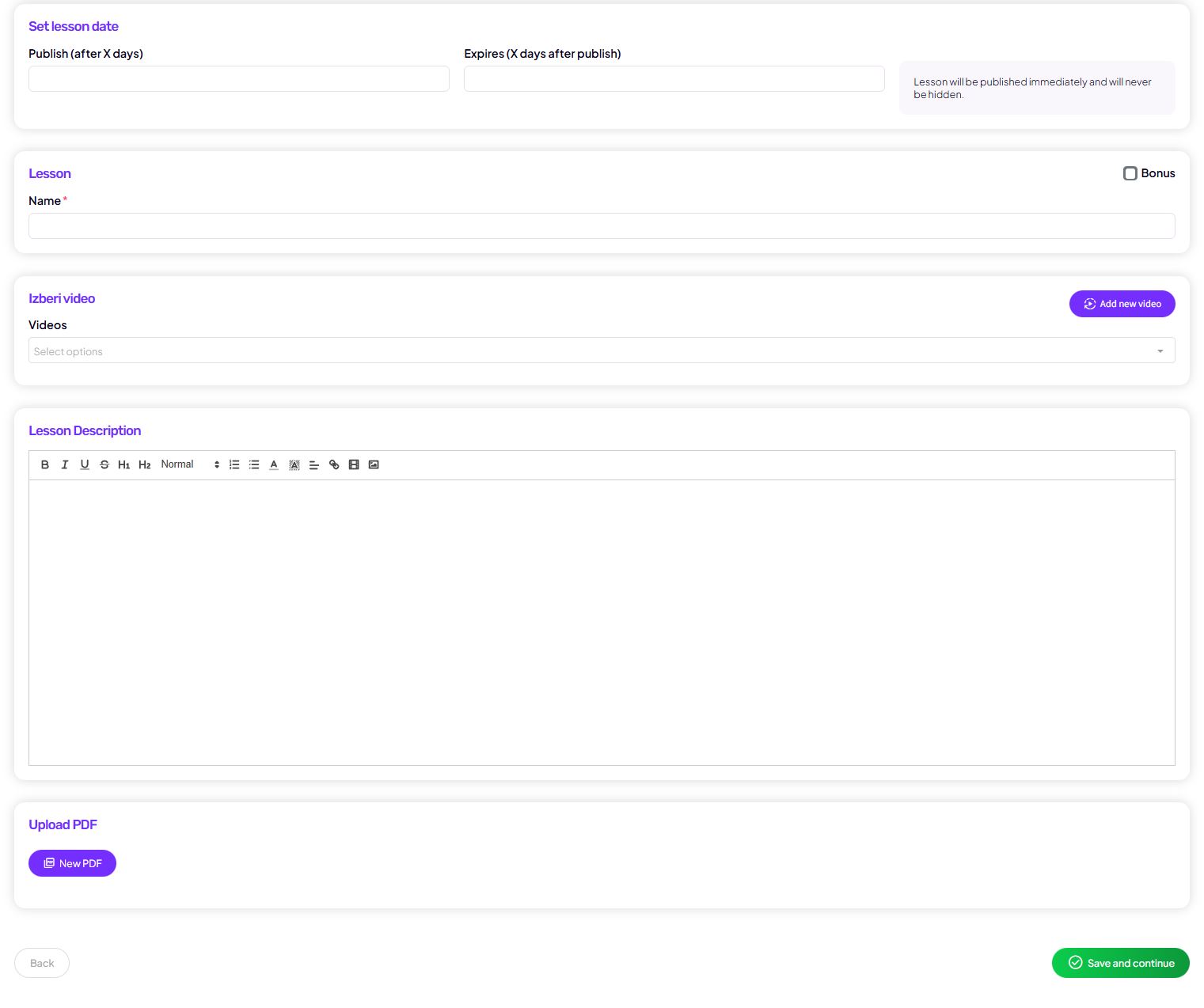
Each day or unit of the challenge can include:
- the day or task title (e.g. Day 1 – Goal setting),
- publish date (tied to the challenge timeline),
- video content:
- via a link (e.g. Bunny, Vimeo, YouTube embed),
- or by uploading a video file,
- description and instructions for the task,
- PDFs or other attachments,
- audio content.
Lessons automatically unlock for users based on the date and cannot be opened early.
Analytics
The Analytics section allows you to track the challenge performance.
Available insights include:
- an overview of how many users:
- started the challenge,
- are active on individual days,
- completed the challenge,
- insight into user participation,
- basic day-by-day progress statistics.
Analytics helps you evaluate:
- which days are the most challenging,
- where users most often drop off,
- how successful the challenge was overall.
How users see the challenge (user view)
From the user’s perspective, the challenge is very clear and action-oriented:
- the user sees a list of days or tasks,
- only the current or past day is unlocked,
- future days are visible but locked,
- after the challenge ends, access to the content is no longer possible.
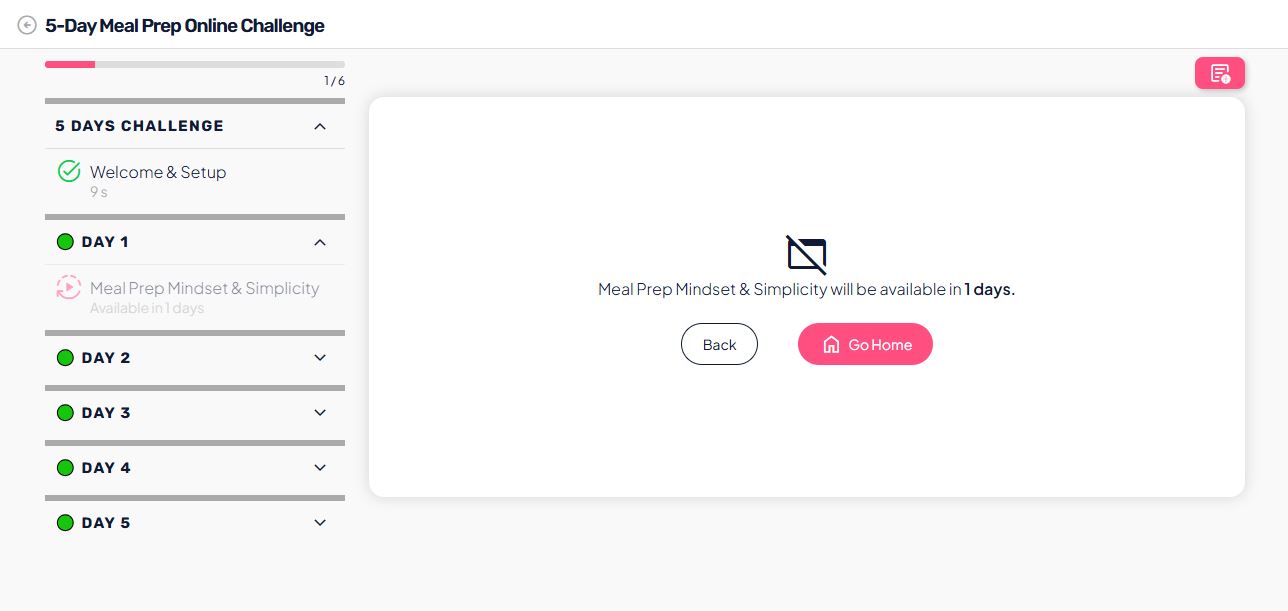
This user view encourages focus, consistent participation, and a sense of progress — which is the main purpose of challenges.