Managing Subscription
In Audienced, you can manage your subscription, payment method, and billing details directly from the admin dashboard under the Subscription section.
Where to find your subscription
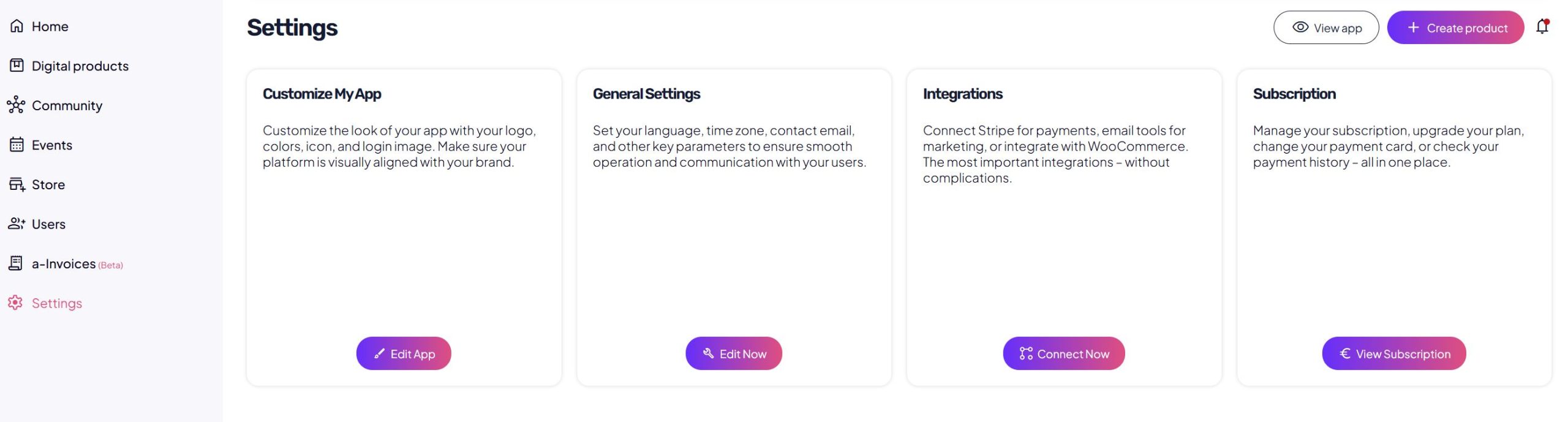
In the admin dashboard, navigate to:
Subscription
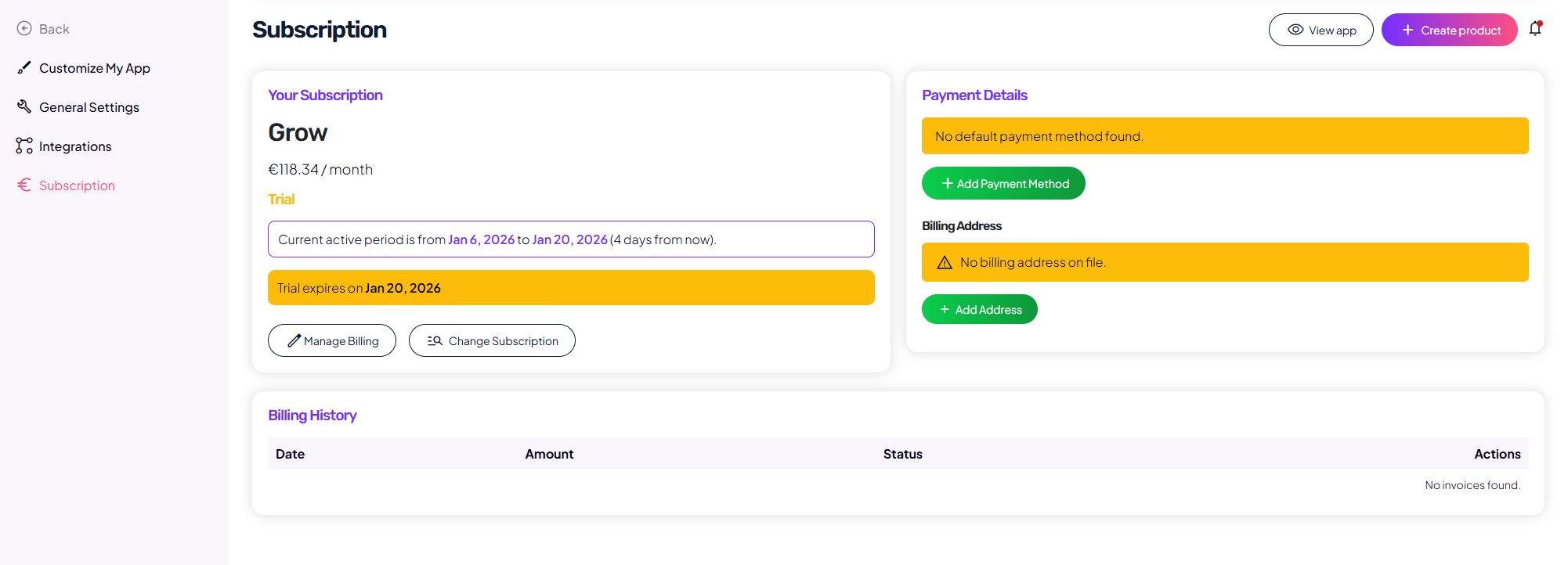
In this section, you can see:
- your active plan,
- subscription status (trial / active),
- current billing period,
- subscription management actions,
- payment and billing details,
- invoice history.
Trial period
If your account is in a trial period:
- you will see a Trial status label,
- the trial start and end dates are displayed,
- a notice shows when the trial will expire.
To continue using Audienced after the trial ends, you must:
- add a payment method,
- enter billing details if required.
Adding a payment method
In the Payment details section:
- you will see a warning if no payment method is added,
- click Add payment method,
- enter your credit card details.
Without a payment method, the subscription cannot continue after the trial period.
Billing details (billing address)
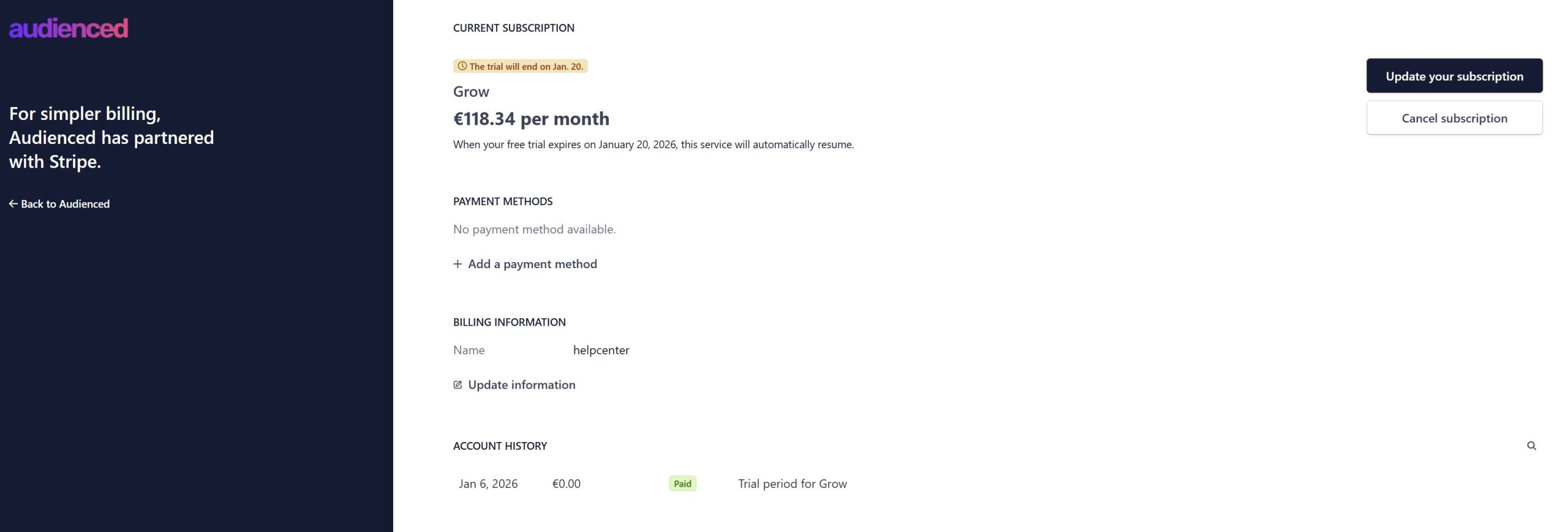
If billing details are missing:
- a valid invoice cannot be issued,
- a warning will be displayed.
To add billing details:
- click Add address,
- enter company or individual billing information,
- click Update information.
These details are used for invoice generation.
Managing your subscription
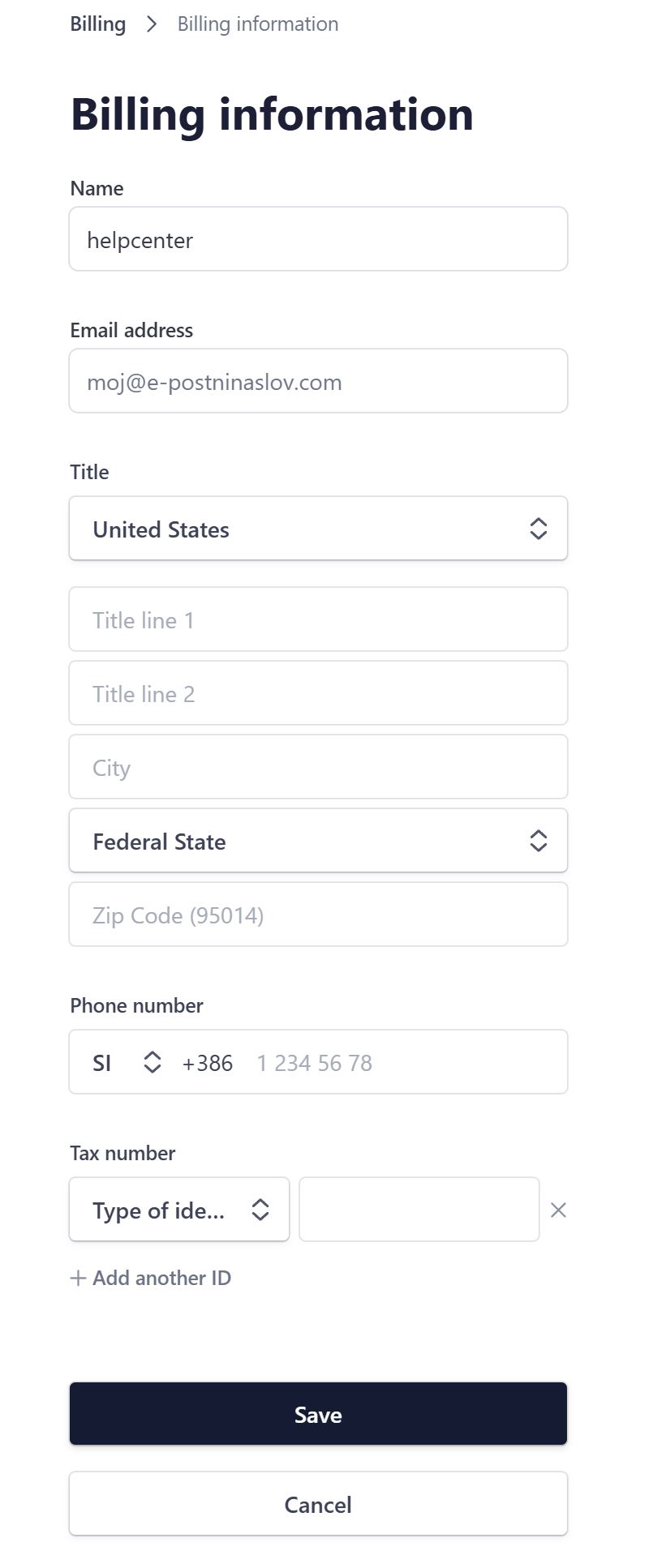
Clicking Manage billing opens subscription management options.
You can:
- cancel your subscription,
- change your plan (Starter / Grow / Scale),
- switch billing cycle (monthly or yearly).
Canceling a subscription
If you click Cancel subscription:
- the subscription will not renew for the next period,
- you keep access until the end of the already paid period,
- refunds for the current billing period are not available.
After cancellation:
- your account remains stored,
- all content and settings are preserved,
- you can reactivate the subscription later.
Invoice history
In the Invoice history section, you can see:
- invoice date,
- amount,
- invoice status,
- a link to the invoice (when available).
If no invoices exist yet, a message No invoices found will be displayed.
Permanent account deletion
If you want to permanently delete your account and all data:
- this cannot be done from the dashboard,
- contact us at info@audienced.io.
In your message, clearly state that you request a permanent account deletion.
Once deleted, data cannot be recovered.
Summary
- Subscriptions are managed under Subscription,
- a payment method is required to continue after the trial,
- plans and billing cycles can be changed,
- no refunds are issued after cancellation,
- accounts and data remain stored after cancellation,
- permanent deletion requires contacting support.