Audio lesson
An audio lesson in audienced allows you to provide content in audio format. It is suitable for podcasts, guided explanations, meditations, breathing exercises, reflections, or content that users can listen to while on the go.
An audio lesson is part of a course or challenge and is located within a module.
Creating an audio lesson
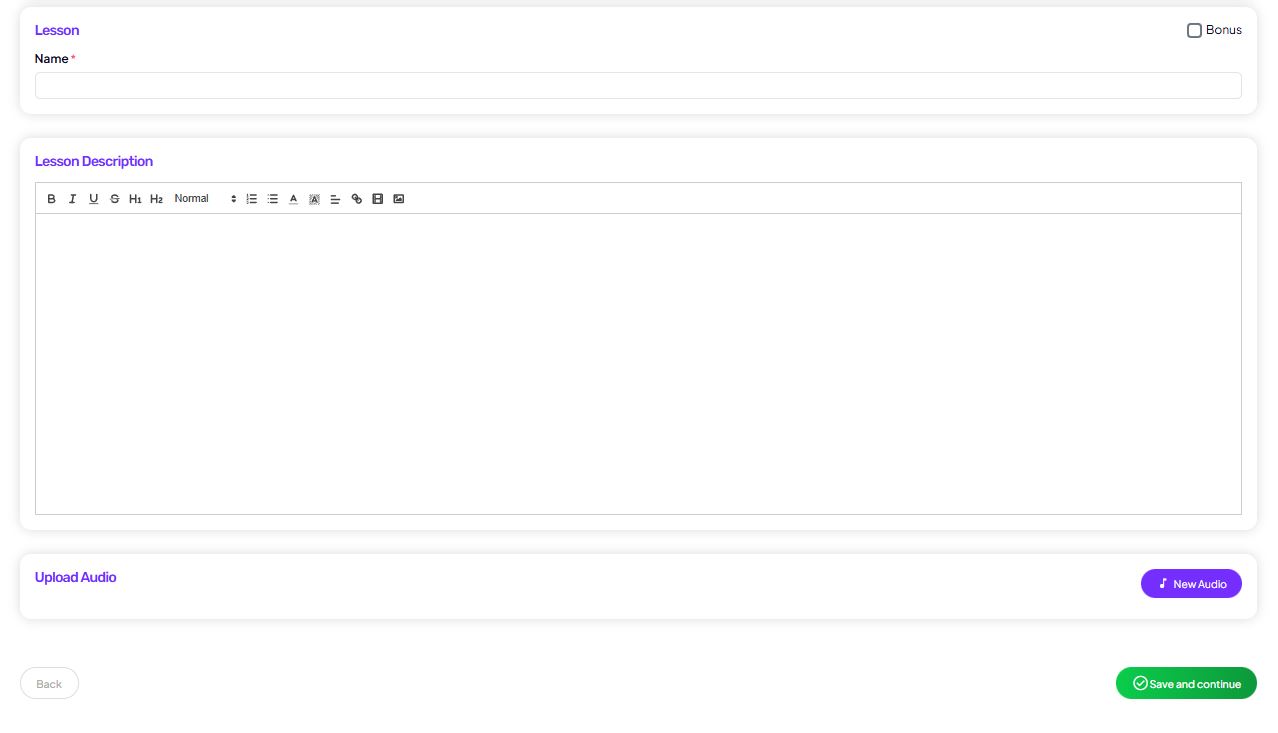
Create an audio lesson by clicking Add lesson within a module and selecting the Audio type.
The system will then guide you to the content entry form.
Audio lesson fields
Lesson title
Enter the lesson name, which is visible to users in the lesson list and when viewing the lesson.
Lesson description
The lesson description supports text formatting.
You can use it for:
- a summary of the content
- listening instructions
- additional tasks or reflection
The description is displayed below the audio player.
Uploading the audio file
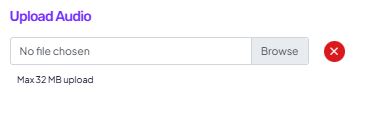
In the Upload audio file section, upload the lesson’s audio file.
- the audio file is uploaded directly into the system
- once uploaded, it is ready to play within the lesson
- users can listen to the audio without downloading the file
We recommend using clear file names and high-quality audio.
Bonus lesson
You can mark the lesson as Bonus.
Bonus lessons are visible to users, but clearly labeled as additional content.
Save and continue
Once you are done entering the details:
- click Save and continue
- the lesson is added to the selected module
- you can adjust the order later using drag & drop
How users see an audio lesson
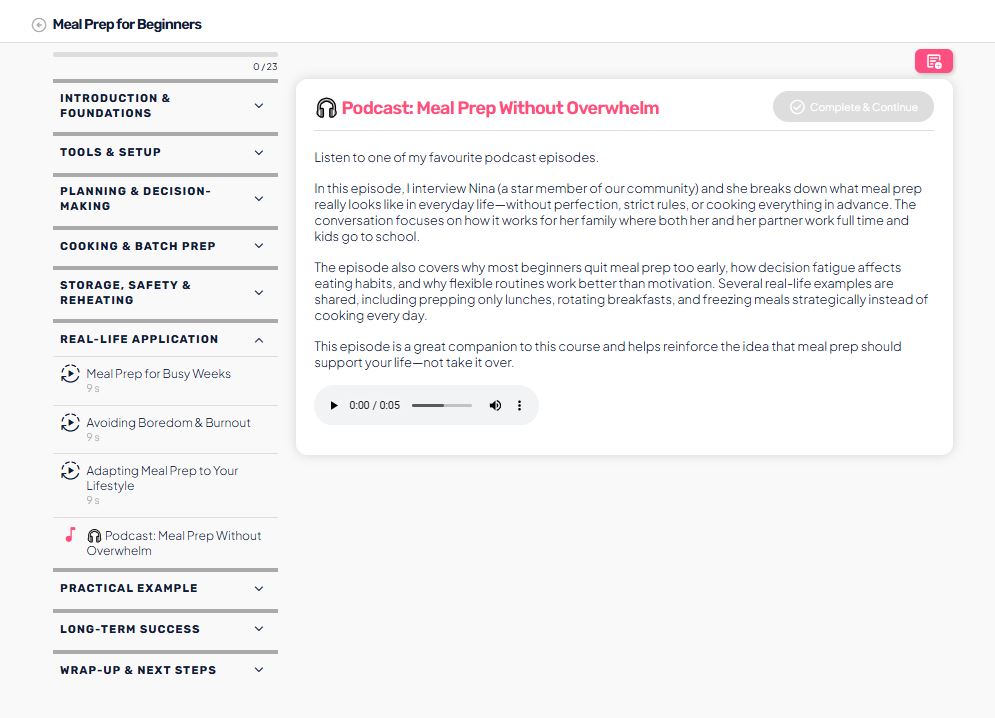
The user sees:
- a list of modules and lessons
- an audio player within the lesson
- the lesson description
- the option to comment (if enabled)
They can listen to the audio lesson directly in the app, without interruptions.
When to use an audio lesson
An audio lesson is ideal for:
- content that does not require visuals
- a relaxed or personal message
- content to listen to while walking, driving, or training
- as a complement to video or text lessons