Community
A community in audienced is designed to connect users, enable interaction, and drive long-term engagement around your digital products. It can be used as a standalone product or as added value to courses, challenges, e-books, or events.
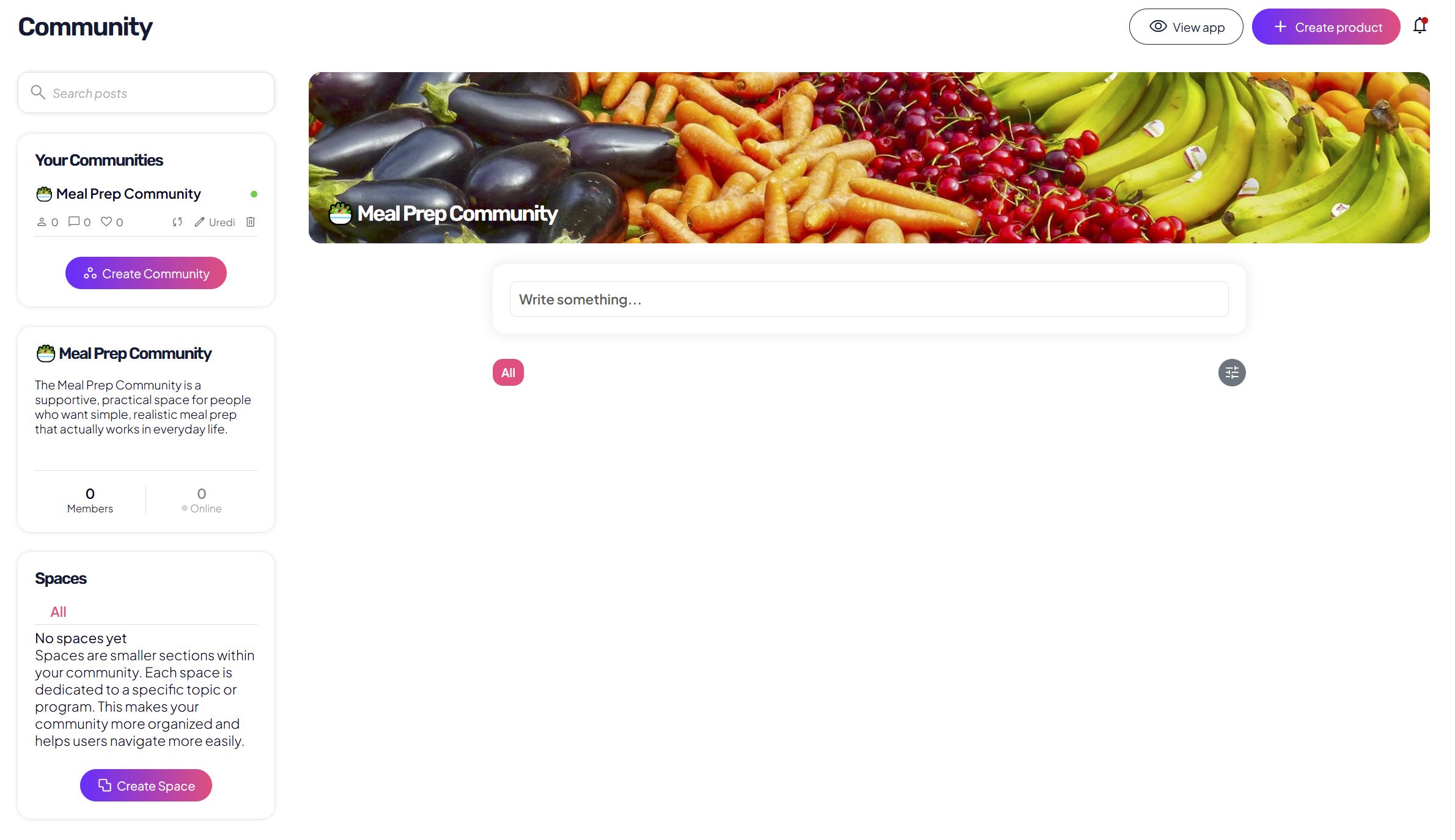
It is suitable for:
- supporting program participants,
- questions and answers,
- sharing progress,
- posts, announcements, and additional content,
- building relationships between members.
Access to the community
You create a community in the side menu under Community or on the home page using the +Create button in the top right.
If you connect the community to a digital product:
- only users who have active access rights to that product can access it,
- when access to the product expires or is canceled, the user also loses access to the community.
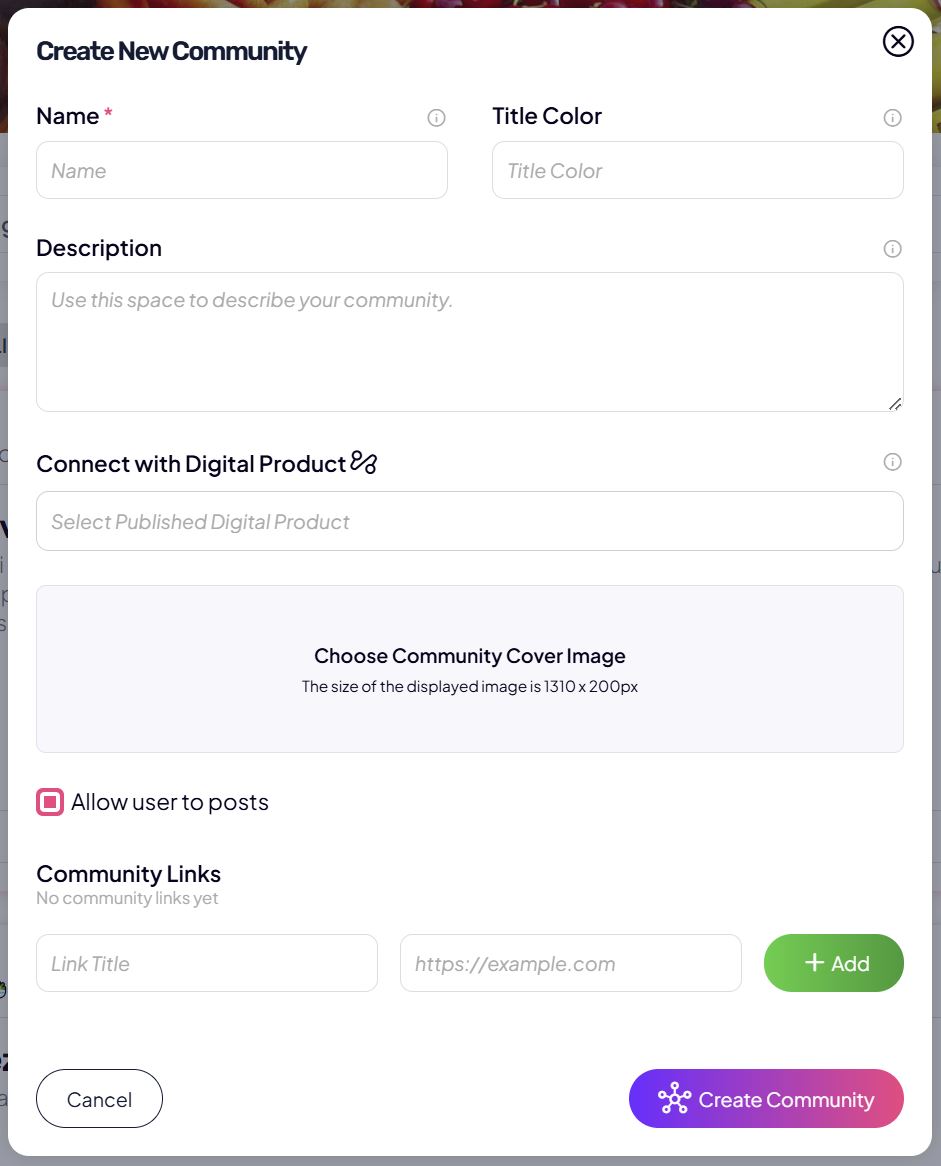
Basic information
When creating a community, you set the basic details:
- Community name
The name users see in the app. - Name color
A color that visually distinguishes the community and improves clarity. - Community description
A short description of the community’s purpose and participation rules. - Community cover image
Recommended size: 1310 × 200 px.
The image is visible at the top of the community and sets the first impression.
Linking to a digital product
You can link a community to one or more published digital products.
This means:
- users automatically get access to the community when they purchase or receive access to the product,
- access is automatically removed if access to the product expires or is canceled.
This link enables centralized access management without manually adding users.
Posting permissions
With the Allow users to post setting, you define whether members:
- can create posts themselves,
- or whether only the admin can create posts.
This is useful if you want:
- an open community with lots of interaction,
- or a more structured community (e.g. announcements and guided posts only).
Links in the community
In the Links section, you can add:
- external links (e.g. Instagram, Google Drive, calendar),
- important resources for members.
Links are always visible and serve as quick access to key information.
Spaces in the community
The community is divided into spaces (e.g. Welcome, Questions, Progress, Announcements).
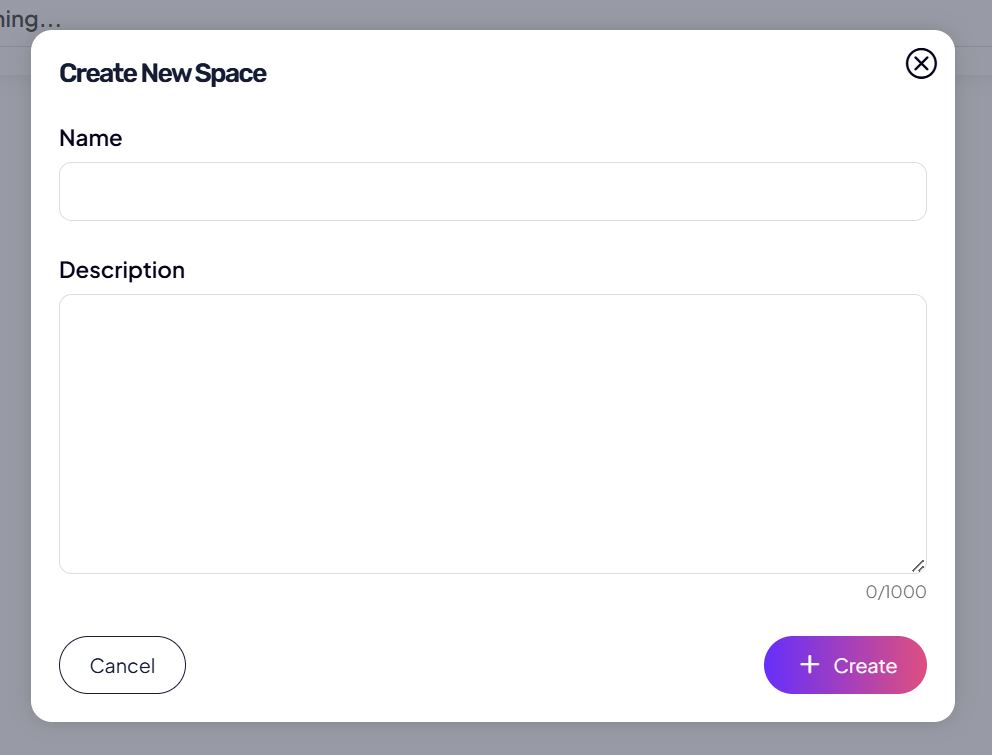
Spaces enable:
- better organization of posts,
- a clear purpose for each part of the community,
- easier orientation for users.
You create and manage spaces directly within the community.
Posts in the community
The admin (and users, if enabled) can create posts.
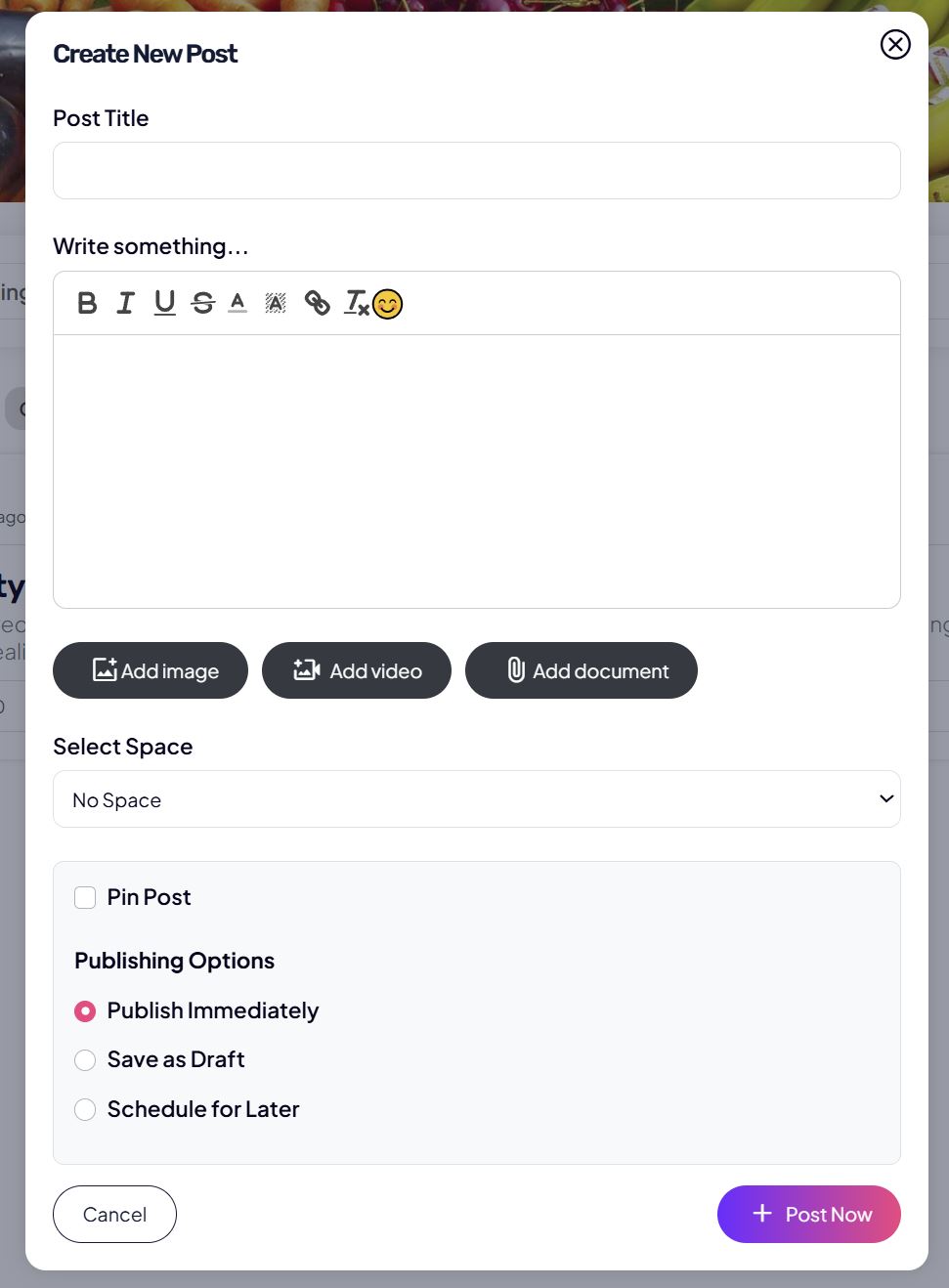
A post can include:
- text with a basic editor,
- images,
- video content,
- links.
Additional post options:
- pin post (pin it to the top of a space),
- publish now,
- save as draft,
- schedule the post for a later date.
This enables structured communication and advance content planning.
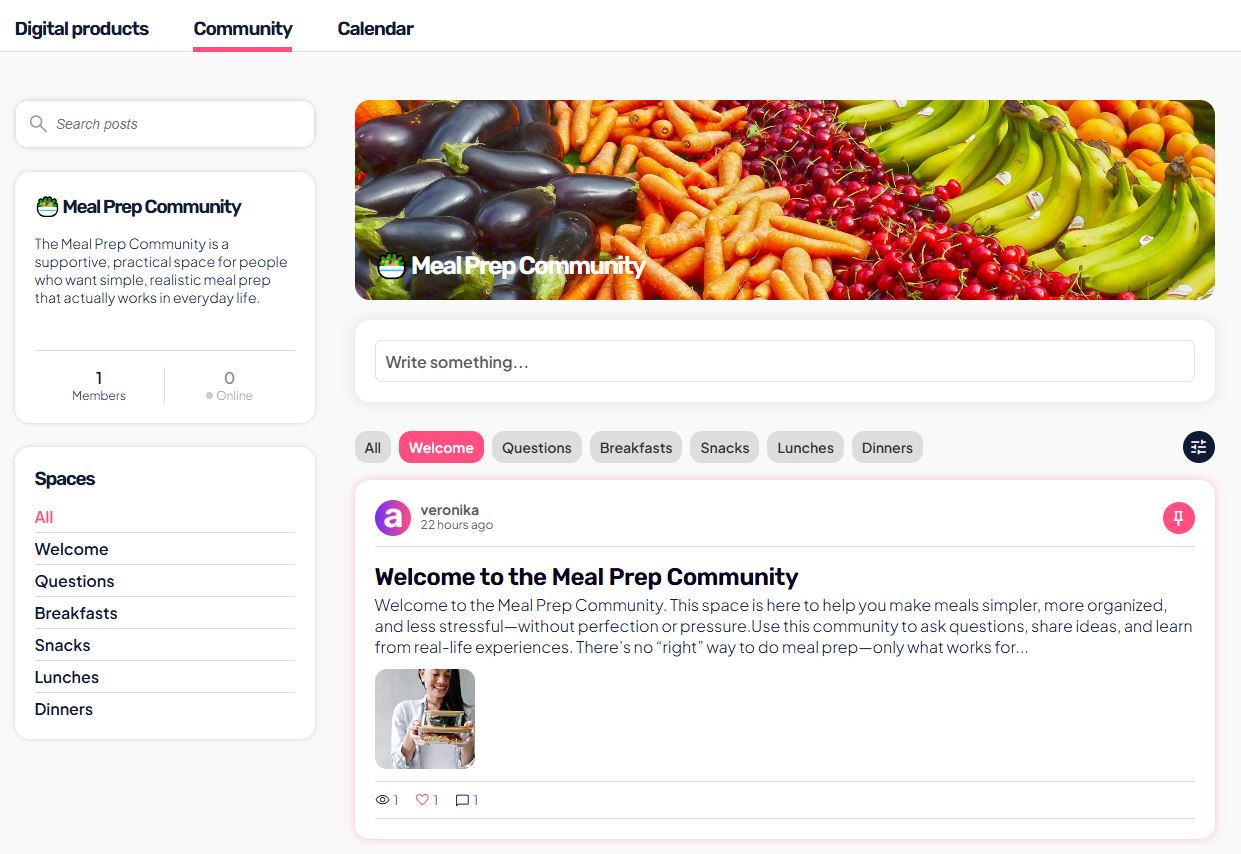
User view – how users see the community
In the app, the user sees:
- a list of communities they have access to,
- within a community, they see spaces and posts,
- they can comment and participate.
If the admin:
- cancels the subscription,
- or access to the linked product expires,
then:
- the user loses access to the community,
- posts and content are no longer accessible,
- access is restored only after reactivation.