Collection Course
A Collection Course in audienced is designed for content where there is no linear progression. Instead, users choose lessons based on their own needs. Typical examples include recipe libraries, exercise libraries, topic-based knowledge, or curated content collections.
How a collection course differs from an online course
Although the creation process is almost the same, a collection course has a few key differences:
- ❌ no sequential progression,
- ❌ no lesson locking,
- ❌ no conditions for continuing,
- ✅ all lessons are available immediately,
- ✅ users find content using tags.
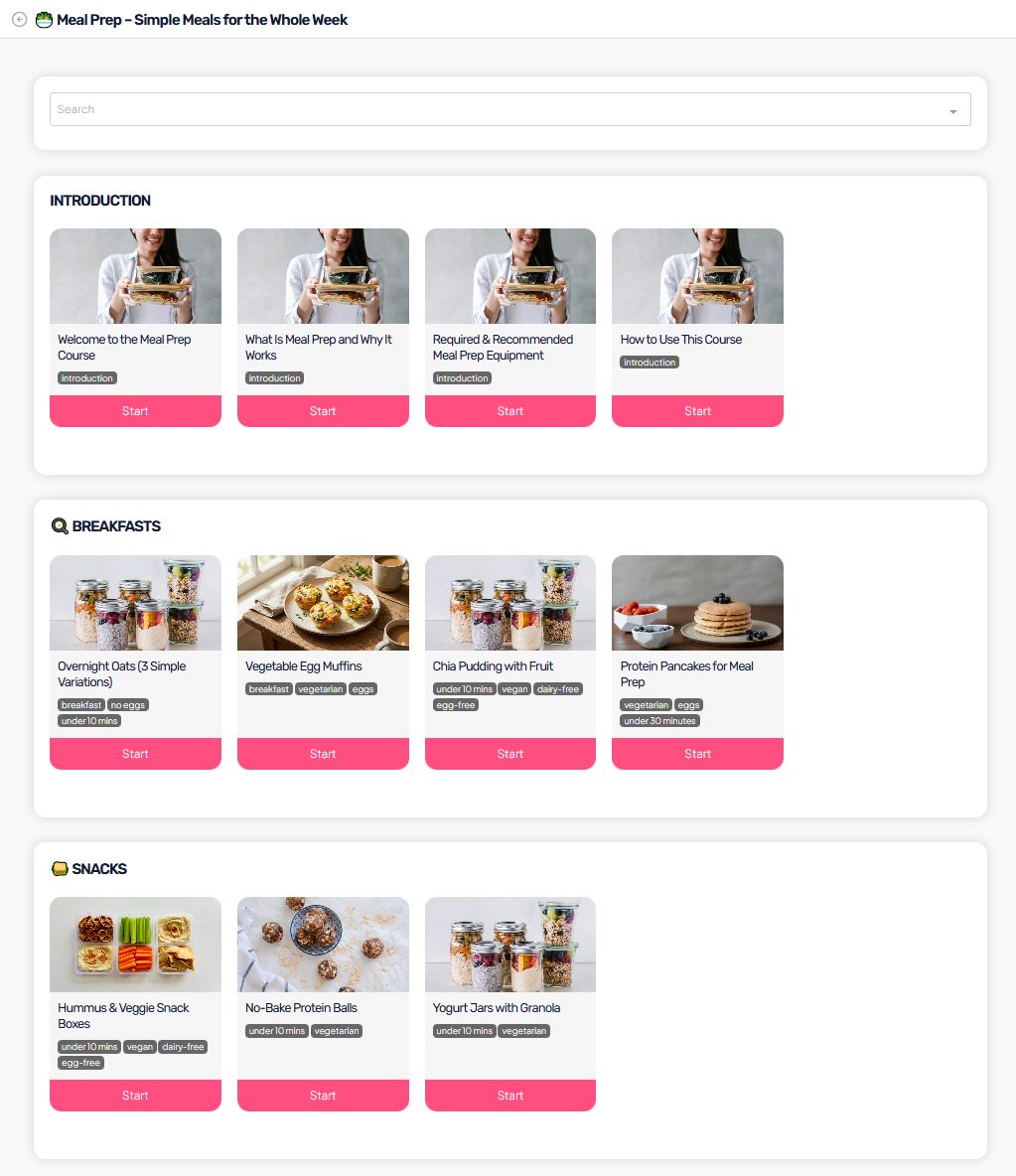
After creating a course, the sidebar menu shows three main sections:
- Basic information
- Modules and lessons
- Analytics
Basic information
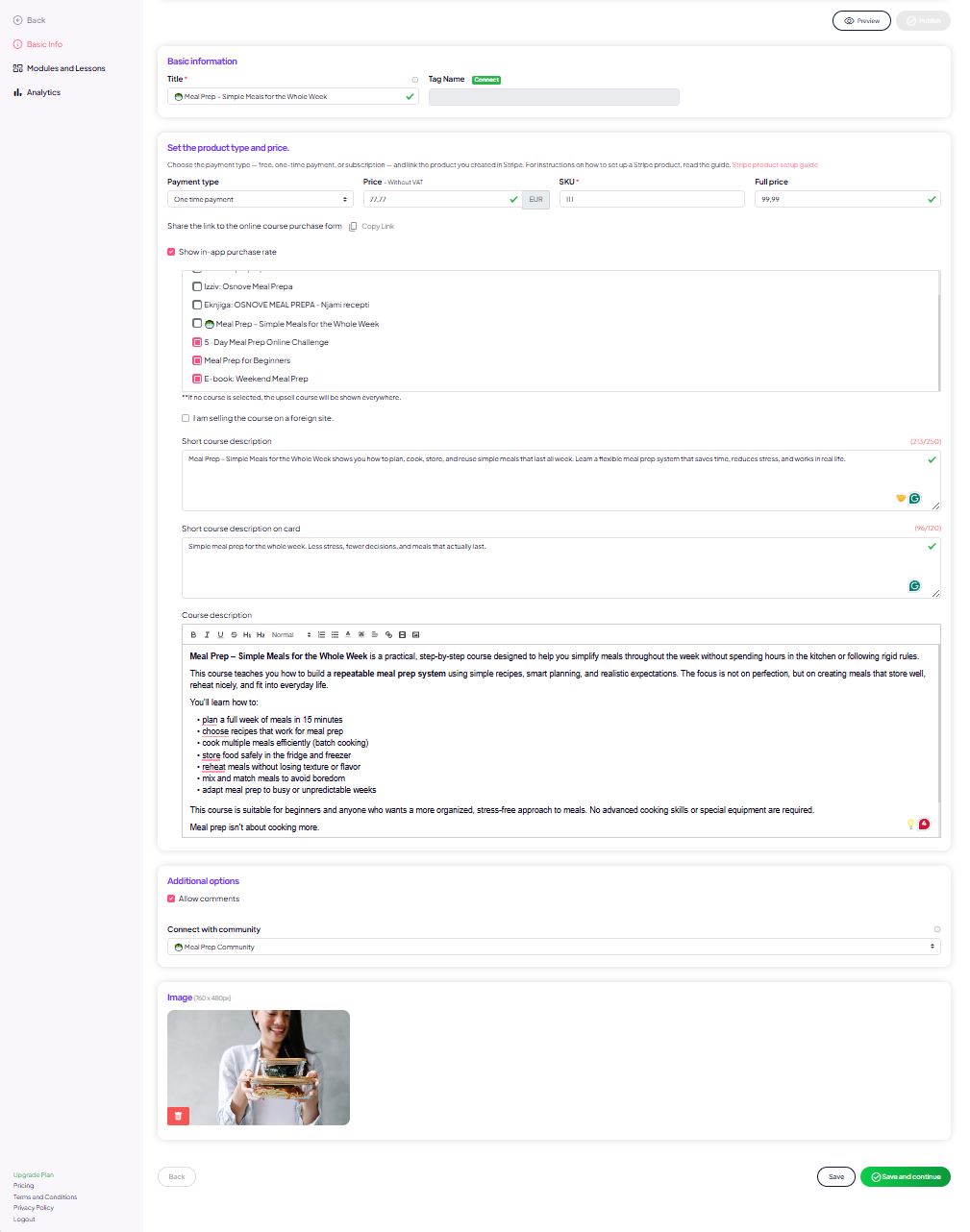
In Basic information, you set the core course details:
- Course name and (optional) tag for segmentation in your email platform
- Payment type (free, one-time payment, or subscription)
- Price (prices are entered excluding VAT)
- Option for free signup via form
- Course visibility in the platform
- Additional settings, such as:
- enabled comments
- Course cover image
This section defines how the course is displayed to users and how they can access or purchase it.
Modules and lessons
In Modules and lessons, you build the course content.
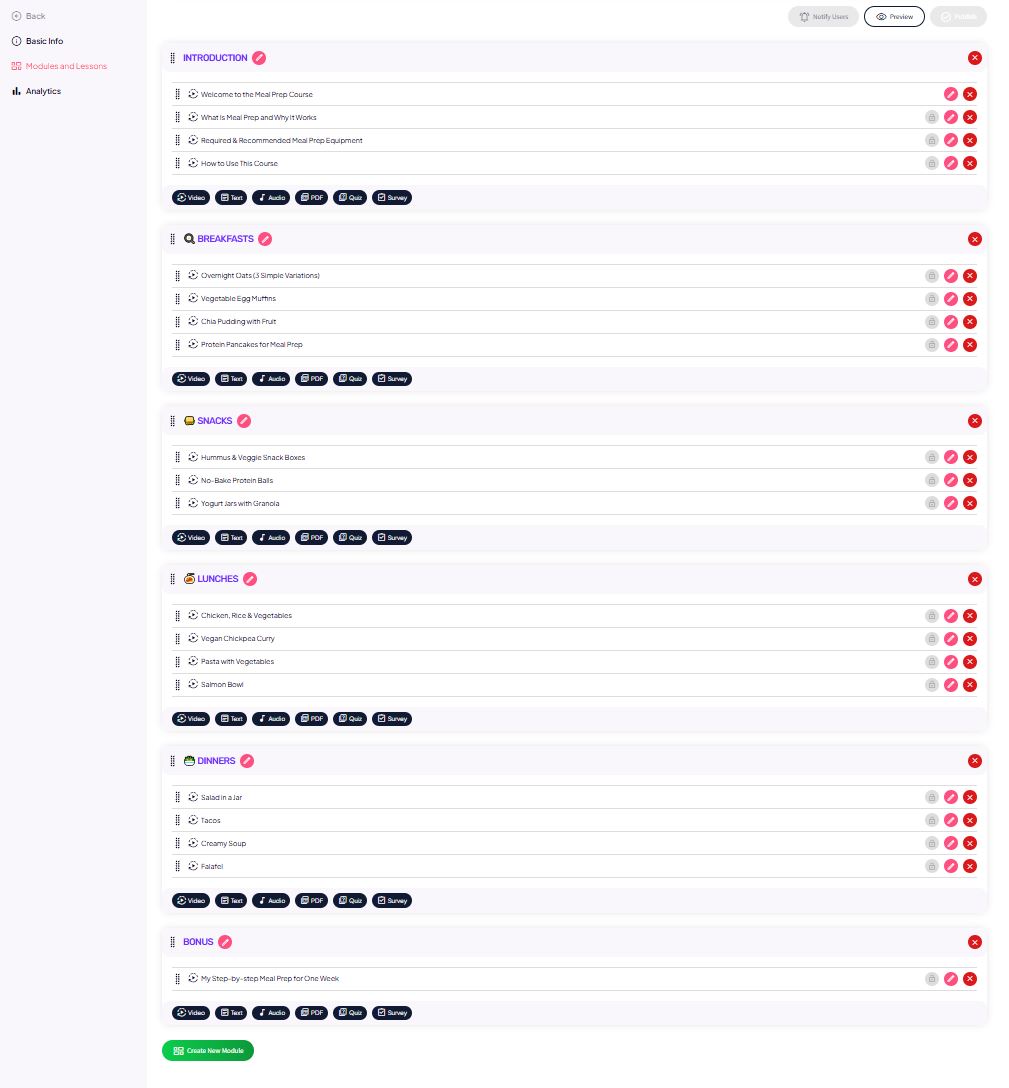
Modules
- Modules are used as content groupings (e.g., Introduction, Week 1, Advanced topics).
- In a collection course, modules are optional and mainly help you keep content organized.
Lessons
Each lesson can include:
- Lesson title and description
- Video content
- added via link (e.g., Bunny, Vimeo, YouTube embed)
- or by uploading a video file (up to the file size limit)
- PDF files
- with in-platform viewing
- or downloads enabled
- Audio files
- Quiz or survey (if needed)
- repeat settings
- show correct answers
- minimum % for passing (if relevant)
- Intro and completion text (for interactive lessons)
- Option to mark a lesson as bonus
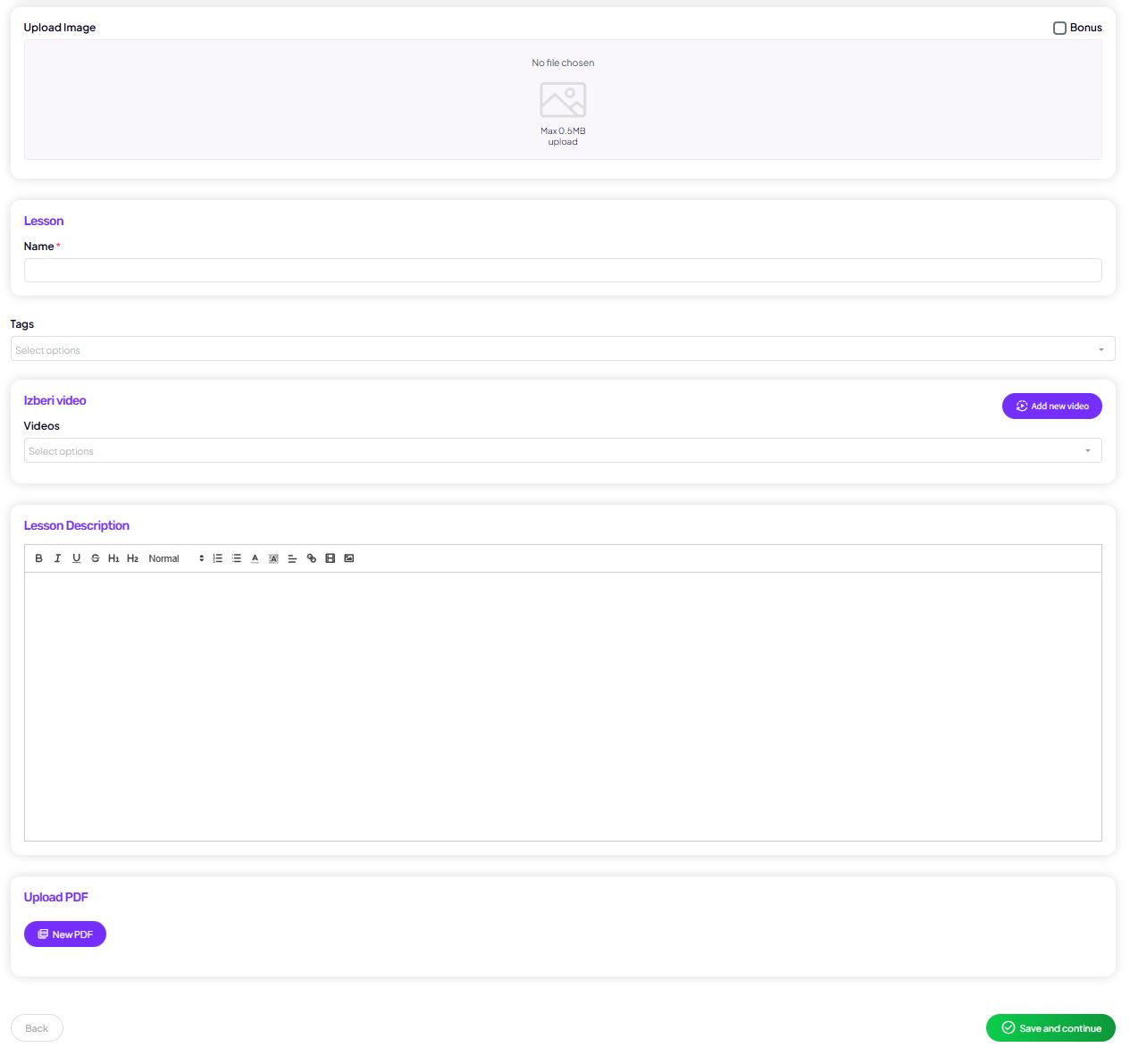
Lessons in a collection course
In a collection course, each lesson functions as a standalone unit.
You can add to lessons:
- video,
- text,
- PDF,
- audio,
- quizzes or surveys (if needed).
⚠️ Key difference
In a collection course, tags are required.
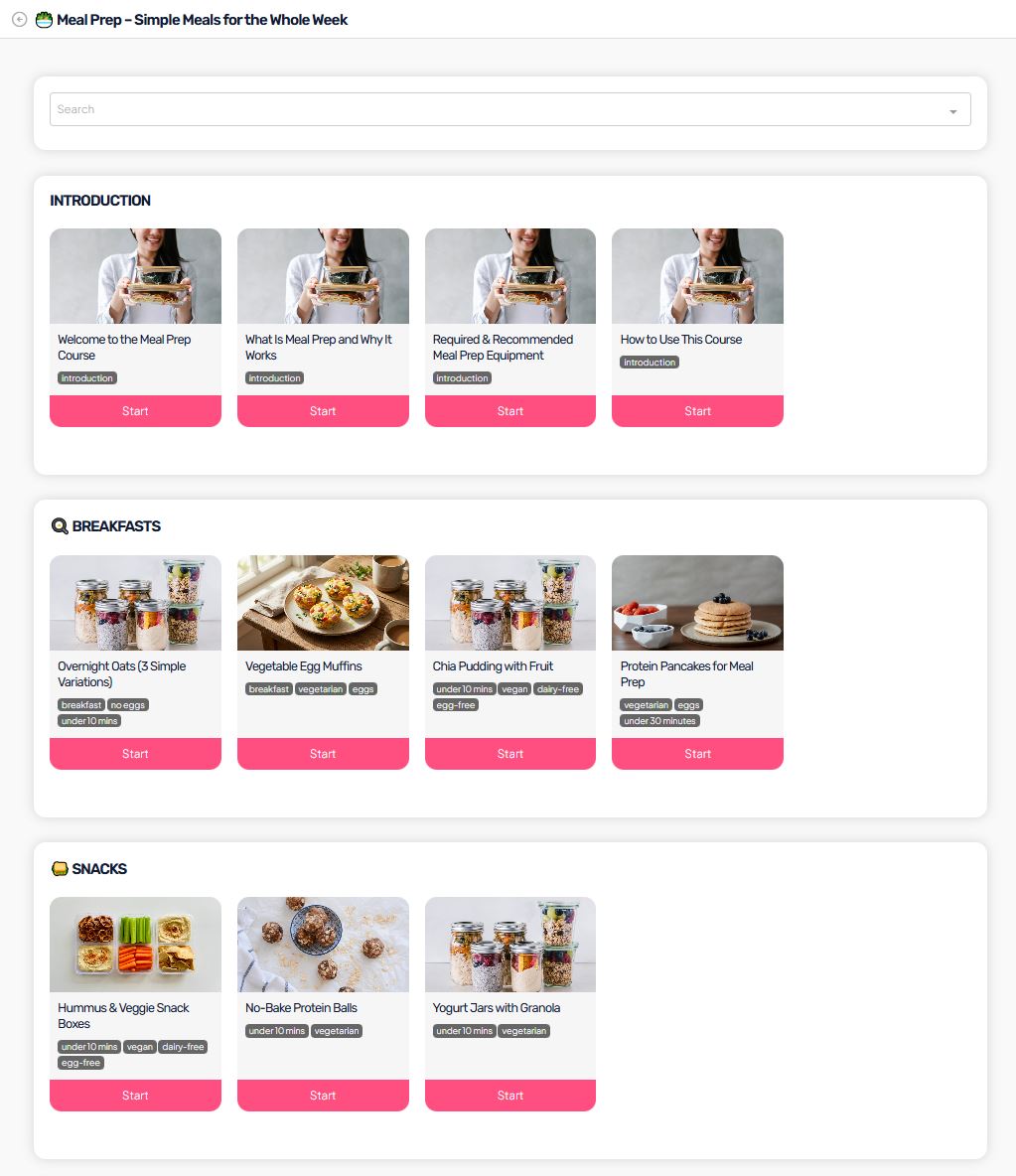
Tags – a required element of collection courses
Tags are the foundation of the user experience in a collection course.
As an admin, you should:
- add at least one tag to every lesson,
- use meaningful and consistent tags (e.g., breakfast, tips, instructions).
Tags enable:
- lesson search,
- filtering content,
- fast navigation through a large library of lessons.
If a lesson has no tags:
- it is harder for users to discover,
- it loses the main benefit of a collection course.
Content structure
A collection course:
- does not require modules (use them only for internal organization if you want),
- is not constrained by a strict order,
- works like a content library.
Recommendation:
- group lessons into themes (e.g., Introduction, Breakfasts, Lunches),
- use tags consistently for filtering.
Analytics
The Analytics section is used to track course performance.
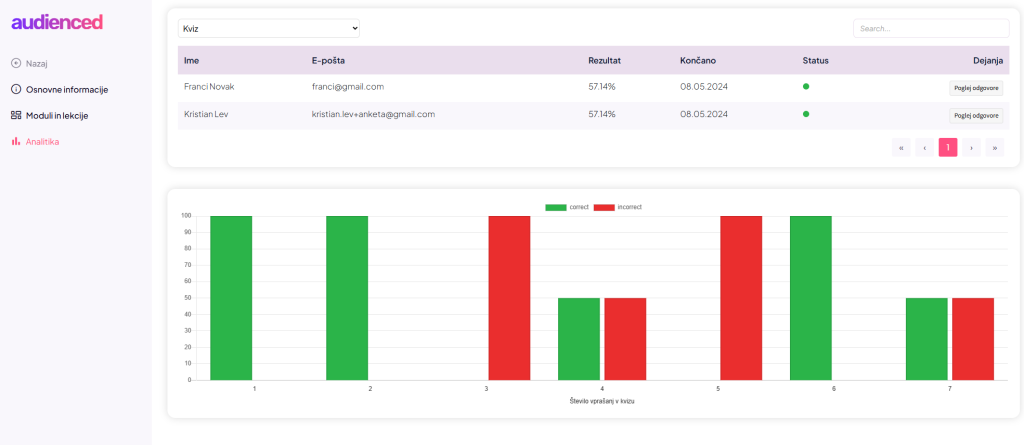
In the admin dashboard you can see:
- views for individual lessons,
- survey and quiz results (if you use them),
- overall lesson usage and engagement.
Since there is no progression:
- there is no “course completion” metric for the course as a whole,
- the focus is on usage of individual lessons.
Analytics help you understand user behavior and improve your content over time.
How users experience a collection course
In a collection course, users:
- see all lessons immediately,
- are not forced into a sequence,
- use search and tags to quickly find what they need,
- choose lessons based on interest, time, or immediate need.
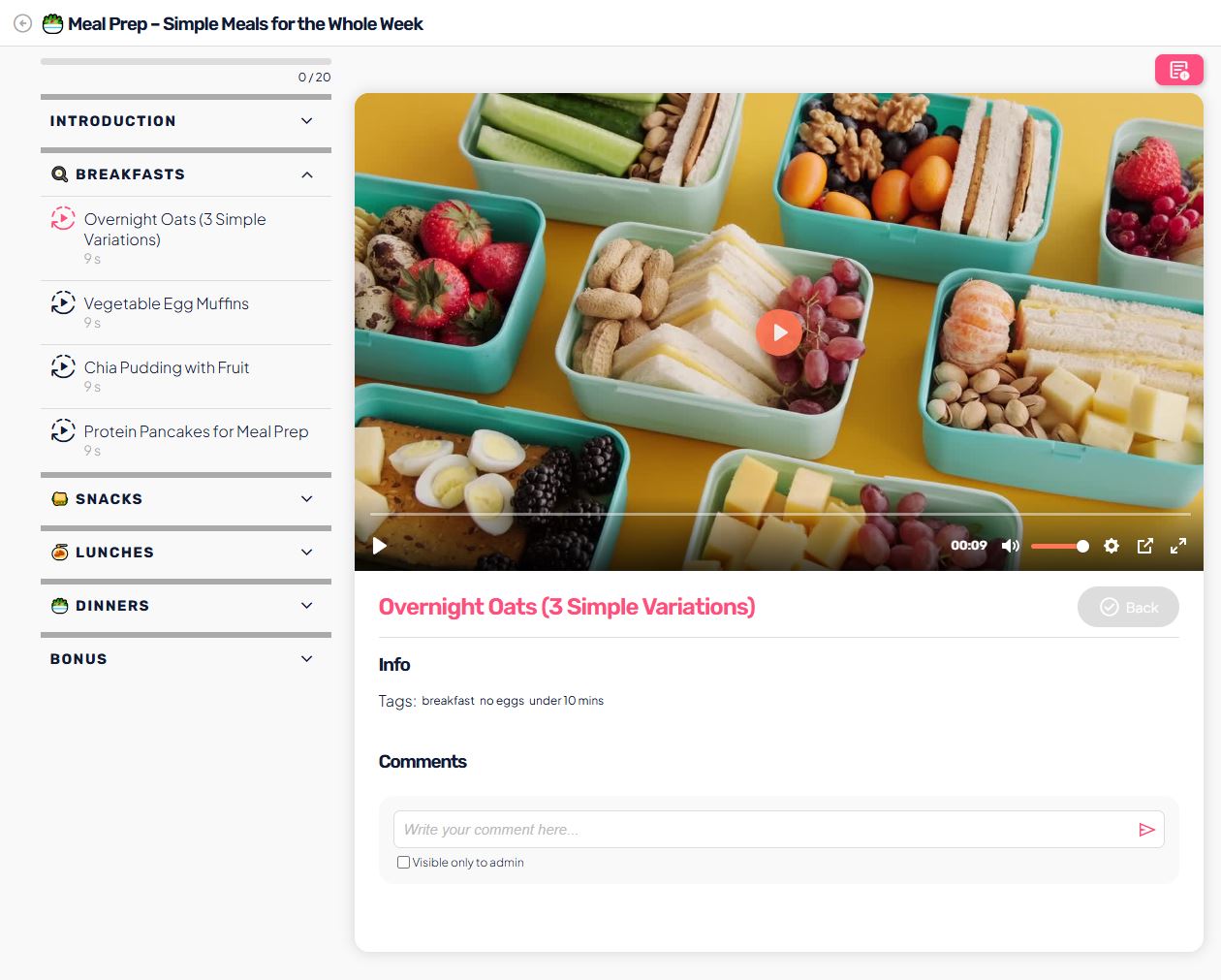
User view:
- feels like a library or catalog,
- supports repeat viewing without restrictions,
- does not push users through a linear path.
A collection course is therefore ideal for:
- recipes,
- exercise libraries,
- topic-based knowledge,
- content that users return to over the long term, as needed.
Admin summary
Choose a collection course when:
- you don’t want linear learning,
- you have many standalone lessons,
- you want users to find content on their own.
The key to a great collection course:
👉 high-quality lessons + thoughtful tags.