Online Course
An online course in audienced is designed for structured content, divided into modules and lessons that guide users through the material in a defined sequence. It is suitable for educational programs, trainings, workshops, and in-depth learning paths.
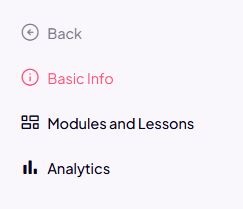
After creating an online course, three main sections appear in the side menu:
- Basic information
- Modules and lessons
- Analytics
Basic information
In the Basic information section, you set the core course details:
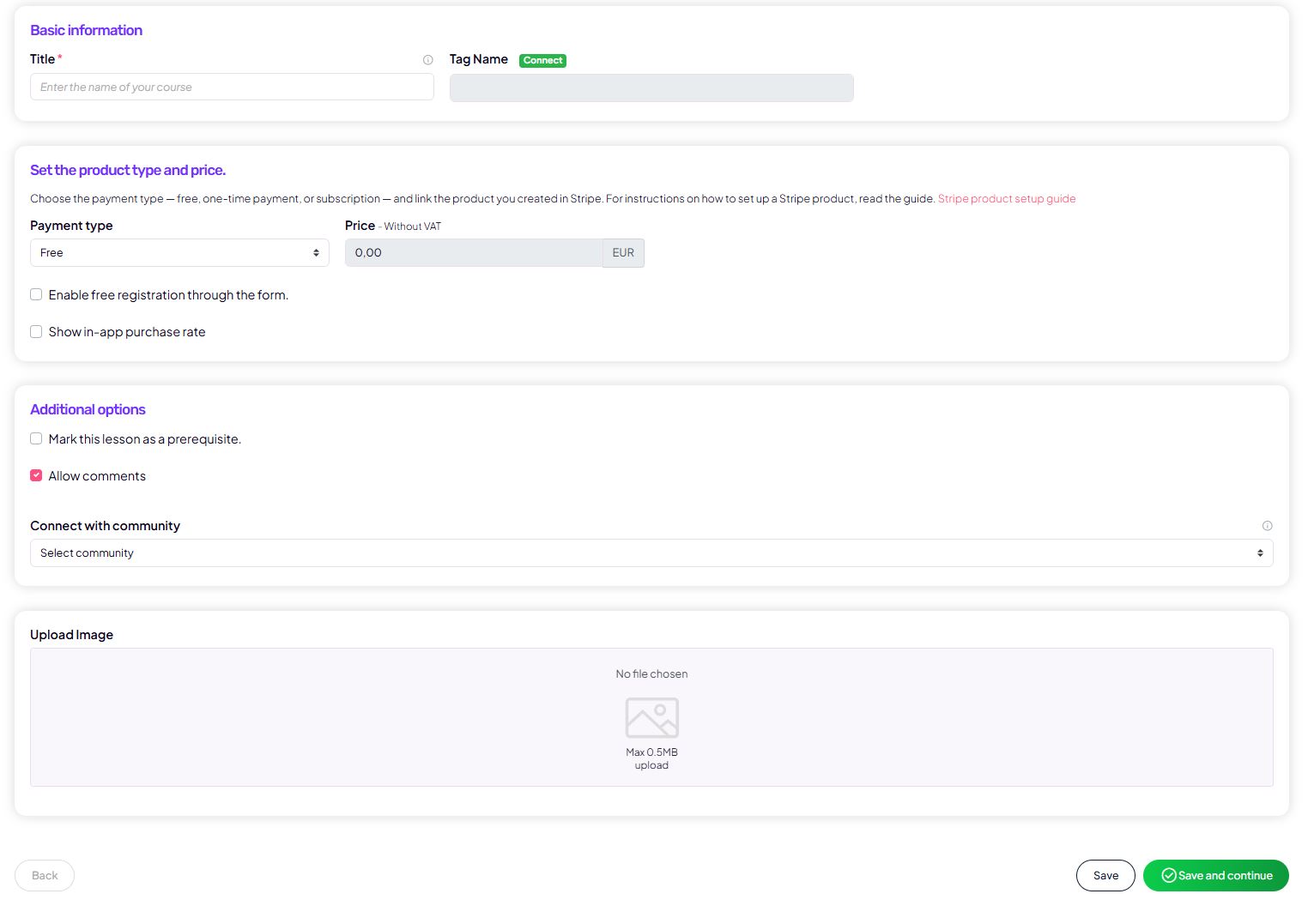
- Course title and an internal tag for segmentation in your connected email platform
- Payment type (free, one-time payment, or subscription)
- Price (prices are entered excluding VAT)
- The option for free sign-up via a form
- Course visibility in the app
- Additional settings, such as:
- required lesson completion to progress
- enabled comments
- Course cover image
This section determines how the course is presented to users and how they can purchase or use it.
Modules and lessons
In the Modules and lessons section, you build the course content.
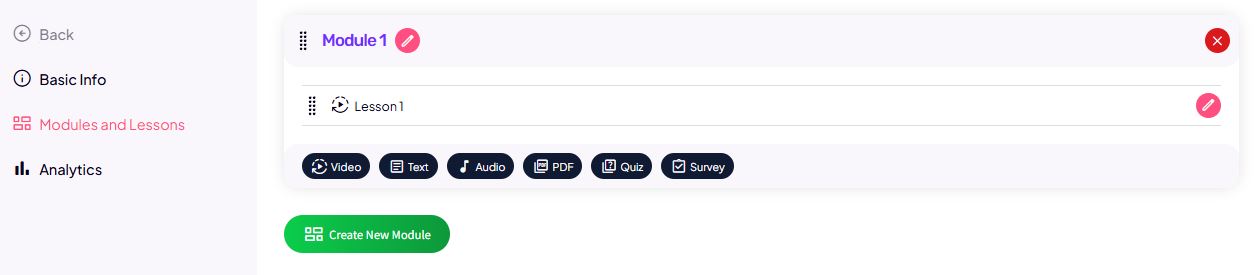
Modules
- Modules serve as content sections (e.g. Introduction, Week 1, Advanced topics).
- They help users navigate and progress through the course.
Lessons
Each lesson can include:
- Lesson title and description
- Video content
- added via a link (e.g. Bunny, Vimeo, YouTube embed)
- or by uploading a video file (up to a limited size)
- PDF files
- with the option to view within the platform
- or with downloads enabled
- Audio files
- Quiz or survey
- with retake settings
- showing correct answers
- minimum % required to progress
- Intro and completion text
- The option to mark a lesson as a bonus
You can set lessons as required to continue to the next lesson, enabling a controlled learning path.

Analytics
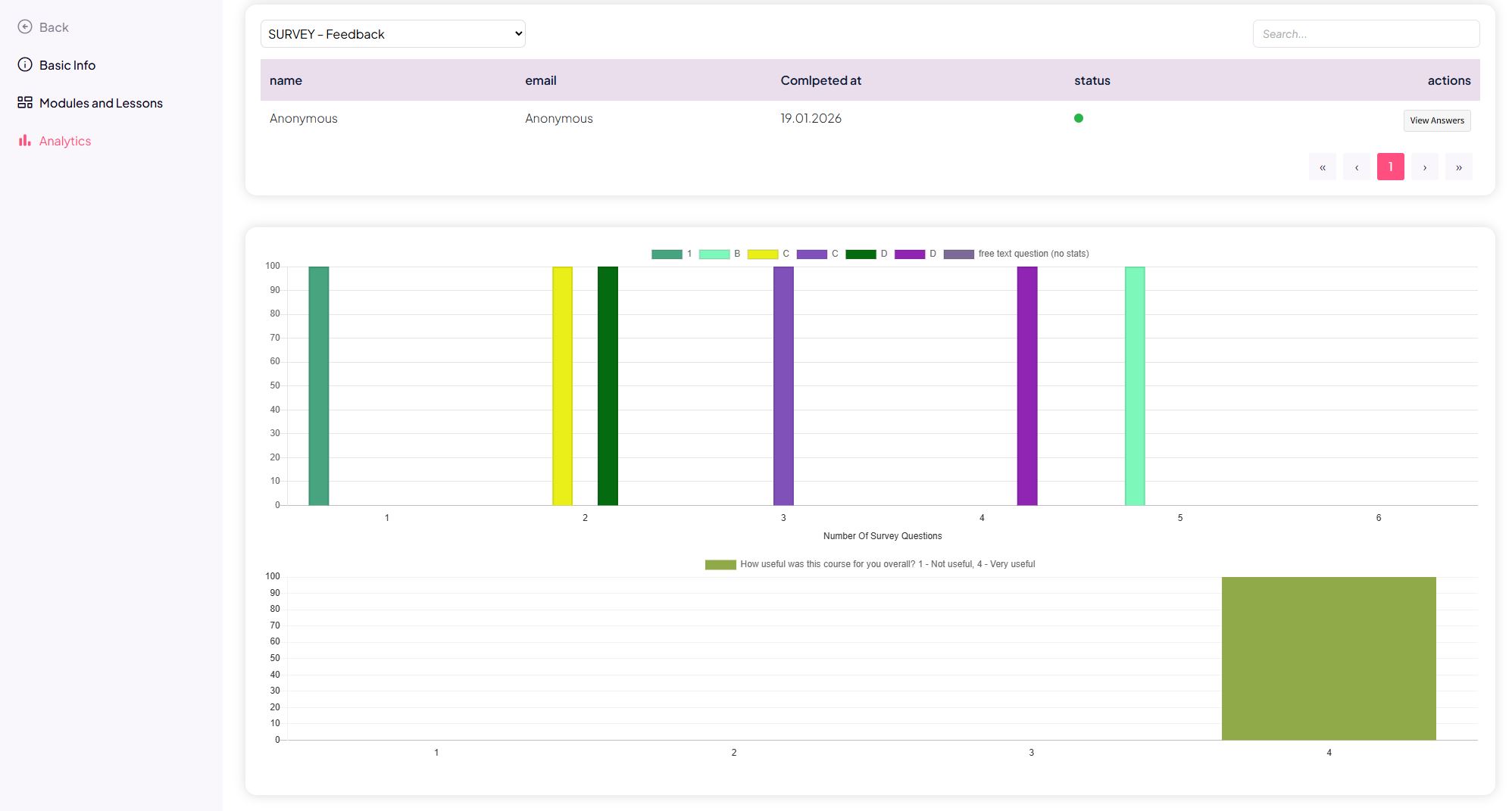
The Analytics section is designed to track course performance.
Available insights include:
- Quiz and survey results
- Lesson completion statistics
- how many users started the course
- how many completed individual lessons
- where users most often stop
Analytics helps you understand user behavior and optimize the course content.
How users experience an online course (user view – summary)
When a user purchases or receives access to an online course, they see a list of all courses they have access rights to in the app.
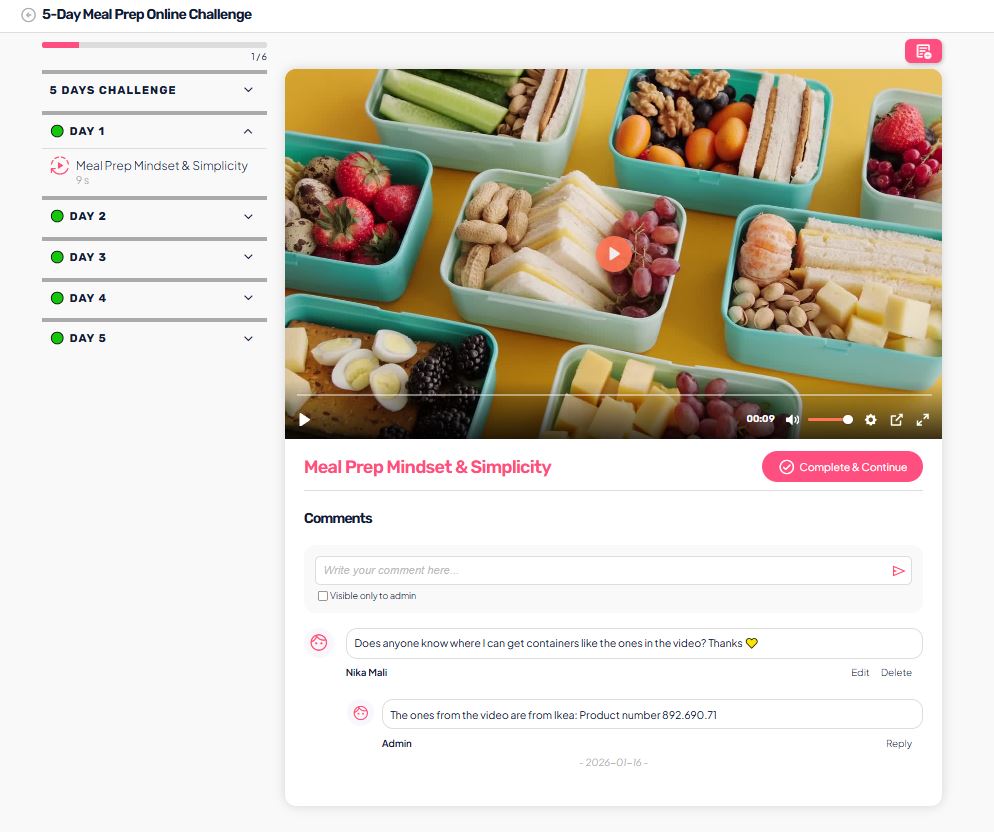
Within an individual course, the user:
- sees modules and lessons in the sequence defined by the admin,
- can only access unlocked lessons (based on progression rules),
- sees video, PDF, audio, and additional materials added by the admin,
- can participate in comments if enabled,
- adds notes on individual lessons.
If progression rules are set in the course:
- the user must mark the lesson as completed,
- or successfully complete a quiz / survey,
- to unlock the next lesson.
In the user view, the user:
- does not see administrative settings,
- cannot change the course structure,
- only sees content that is published and unlocked.
Summary
An online course in audienced consists of:
- clear core settings (sales, access, presentation),
- structured content (modules + lessons),
- insight into user performance and progression (analytics).